Model Settings to Deploy Code for eNPU Module of Qualcomm Hexagon Processor
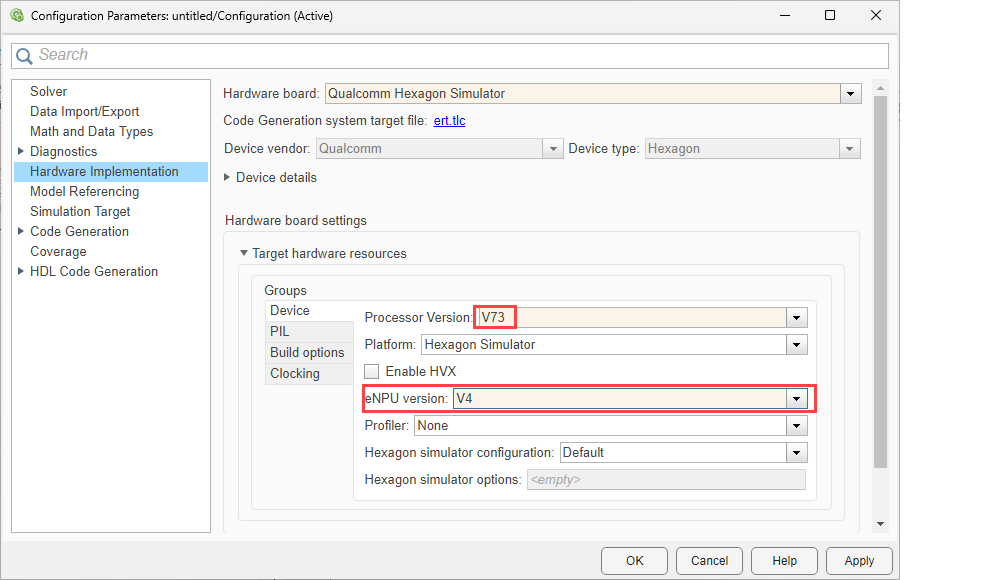
R2026bConfigure the model settings to run Simulink® models that use the eNPU Predict block, by following these steps.
In the Simulink Editor, select Simulation > Model Configuration Parameters.
In the Configuration Parameter dialog box, click Hardware Implementation.
Set the Hardware board parameter to either
Qualcomm Hexagon SimulatororQualcomm Hexagon Android Board.Under Hardware board settings, select the Processor Version.
Select the eNPU Version to which you are planning to deploy the code.
To apply the changes, click Apply.