Main Content

QNN LPAI Predict

R2026b

Predict responses of QNN context binary for LPAI backend

Since R2025b

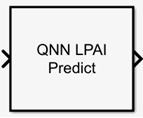
  • QNN LPAI Predict block with an input port and output port

Libraries:
Embedded Coder Support Package for Qualcomm Hexagon Processors / QNN

Description

The QNN LPAI Predict block predicts responses of a deep learning network represented as a QNN context binary for the LPAI backend of Qualcomm® AI Direct Engine based on the given input data.

You use the QNN LPAI Predict block to select a QNN context binary file (.bin) that is optimized to run on LPAI backend for both x86-based host simulations and target executions.

You can deploy the code generated using this block to one of these boards that are available under the Hardware board parameter in Configuration Parameters:

  • Qualcomm Android Board

  • Qualcomm Hexagon Android Board

The block also provides the option to dequantize outputs to single-precision, if required.

Ports

Input

expand all

The input tensor to use for inference with the selected QNN model, represented as an n-D array, in accordance with the Input layer size parameter of the QNN model.

The QNN LPAI Predict block supports a multiple-input multiple-output tensor with a maximum of four dimensions, but the batch size must always be 1. For example, if the input layer of the original deep learning network is 128-by-128-by-3, the input dimension should be either 128-by-128-by-3 or 1-by-128-by-128-by-3.

If the leading dimensions are 1 (singleton dimensions), these dimensions can often be removed without affecting compatibility. For example, if the input layer of an AI model expects an input size of 1-by-1-by-128-by-3, the input can be provided as 1-by-1-by-128-by-3 or simply 128-by-3. This is because dimensions of size 1 can be broadcast to match the expected shape.

The QNN LPAI Predict block accepts either a floating-point input or a fixed-point input. The input data type must match the data type of the QNN network's input layer. Additionally, the input can be floating-point even for quantized QNN network.

Data Types: single | half | int8 | int16 | int32 | uint8 | uint16 | uint32

Output

expand all

The output tensor to use for inference with the selected QNN model, represented as an n-D array, in accordance with the QNN output layer. The output data types match the data types of the QNN network's output layers. If you select Dequantize Ouptut, the output is always single.

Data Types: single | half | int8 | int16 | int32 | uint8 | uint16 | uint32

Parameters

expand all

Since R2026a

Select one of these LPAI backend version to perform inference:

  • v5

  • v6

Click Browse and select the QNN context binary file (.bin) on the target to perform inference on the host. For details on creating an binary file to run on device processors like LPAI, refer to Qualcomm AI Engine Direct SDK documentation.

Since R2026a

Click Browse and select the backend configuration file. Use this parameter to browse and select a Qualcomm QNN-compliant json file that defines GPU backend-specific execution settings for the model. These settings include memory allocation, precision mode, thread count, and performance profile.

Select the checkbox to dequantize the block's output. Enabling this option results in output data type always being single, irrespective of the deep learning neural network's output layer data type.

Extended Capabilities

expand all

C/C++ Code Generation
Generate C and C++ code using Simulink® Coder™.

Version History

Introduced in R2025b

expand all