Loop Streaming to Reduce Area
R2026bThis example shows how to use the design-level loop streaming optimization in HDL Coder™ to reduce area.
Introduction
A MATLAB® for loop generates a FOR_GENERATE loop in VHDL. HDL Coder always spatially unrolls these loops for execution in hardware. In other words, HDL Coder replicates the body of the software loop in hardware as many times as the number of loop iterations. This results in inefficient area usage.
The loop streaming optimization creates an alternative implementation where HDL Coder creates a single hardware instance of the loop body and time-multiplexes it across iterations.
MATLAB Design
This example implements a simple FIR filter and includes a MATLAB test bench that exercises the filter.
design_name = "mlhdlc_fir";
testbench_name = "mlhdlc_fir_tb";
Design: mlhdlc_fir
Test Bench: mlhdlc_fir_tb
Simulate the Design
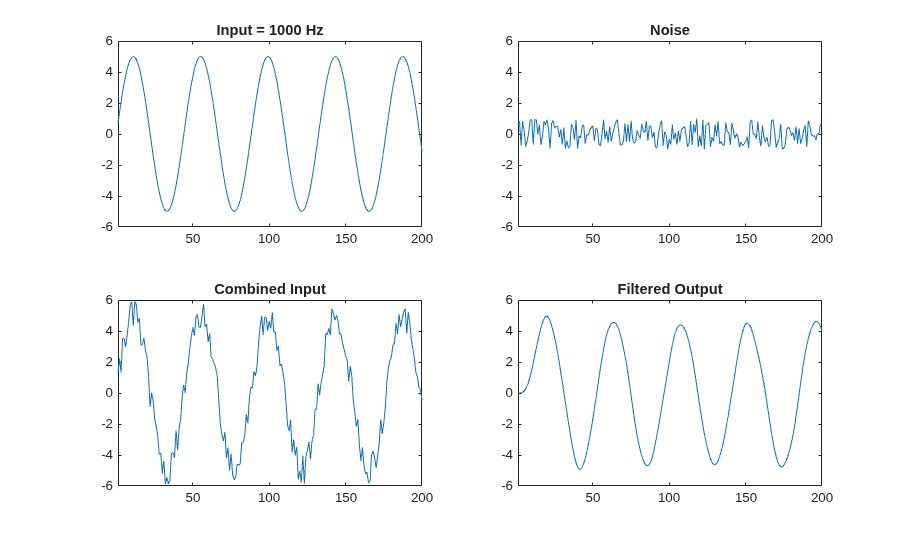
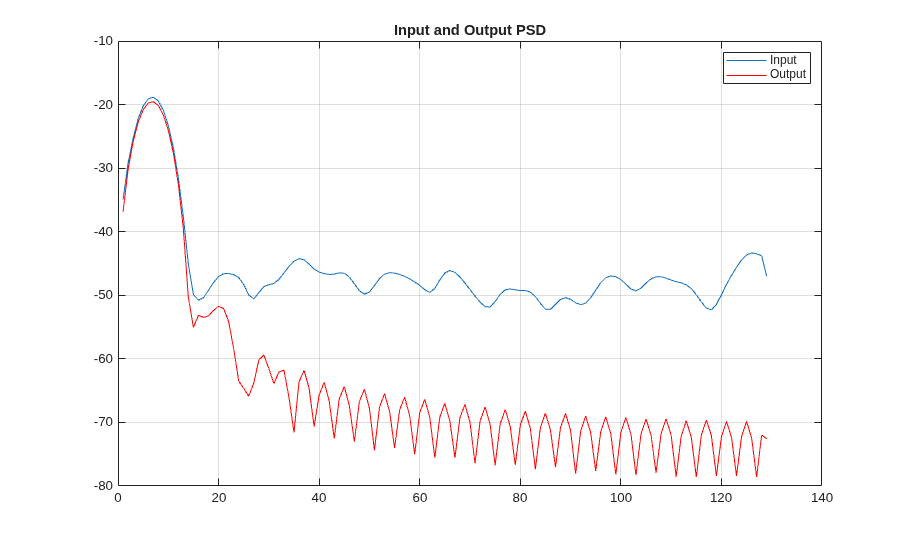
Simulate the design with the test bench before code generation to make sure there are no runtime errors.
mlhdlc_fir_tb
Create an HDL Coder Project
To create the fir_project project and open the HDL Workflow Advisor, run this command:
coder -hdlcoder -new fir_project
Configure HDL Workflow Advisor for HDL code generation:
1. In HDL Workflow Advisor, set Code Generation Workflow to MATLAB to HDL.
2. In the Define Input Types task, add the design and test bench files. For MATLAB Function, click the Browse button and select mlhdlc_fir.m. For MATLAB Test Bench, click the + button and select mlhdlc_fir_tb.m.
3. Click the Run button to run the test bench and infer the input data types of the MATLAB design mlhdlc_fir.
For more information on creating and populating MATLAB HDL Coder projects, see Generate HDL Code from MATLAB Algorithms.
Enable Loop Streaming and Generate HDL Code
The loop streaming optimization in HDL Coder converts software loops (either explicit for-loop statements, or inferred loops from matrix or vector operators) to area-friendly hardware loops.
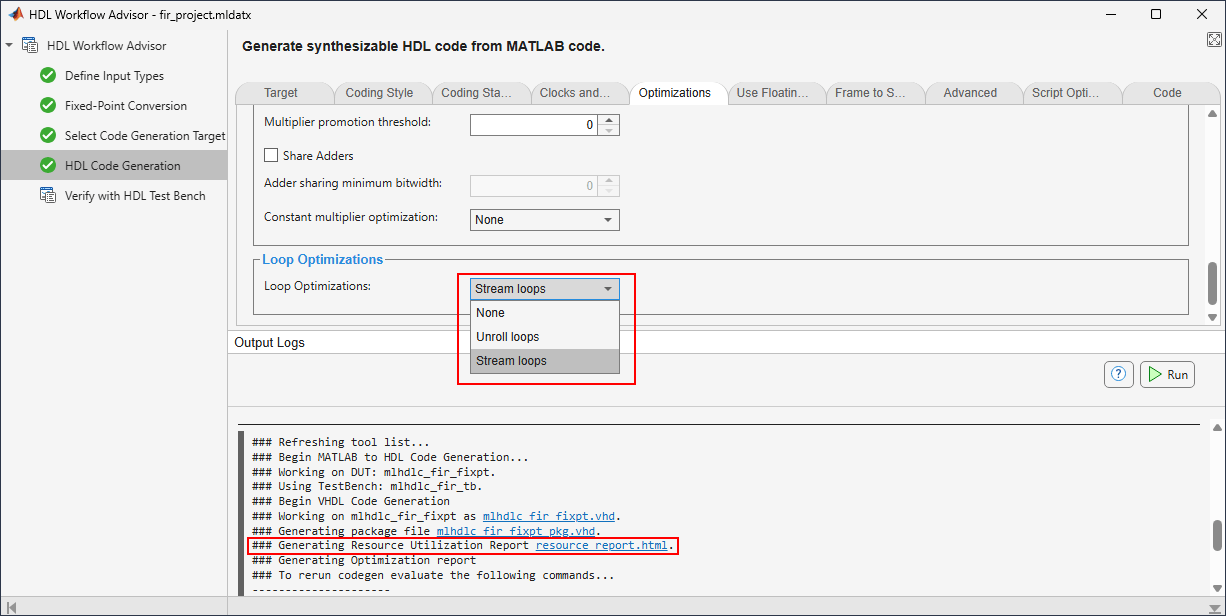
In the HDL Code Generation task, on the Optimizations tab, set Loop Optimizations to Stream loops.
Right-click the HDL Code Generation task and select Run to selected task.
Examine the Resource Report
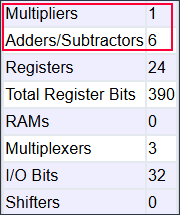
Click the hyperlink resource_report.html to open the Resource Utilization Report. The report shows that loop streaming significantly reduces multipliers and adders.
With Loop Optimizations set to None, the Resource Utilization Report shows 16 multipliers and 16 adders and subtractors.
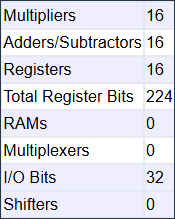
With Loop Optimizations set to Stream loops, the Resource Utilization Report shows just one multiplier and six adders and subtractors.
Limitations
HDL Coder streams loops only if they are regular nested loops. A regular nested loop structure is one where:
The total number of iterations of the loop structure is non-zero.
There are no back-to-back loops at the same level of the nesting hierarchy.

