StuckAtConstantAnomaly
R2026bSynthetic stuck-at-constant anomaly model for validating anomaly detection models
Since R2026a
Description
Add-On Required: This feature requires the Time Series Anomaly Detection for MATLAB add-on.
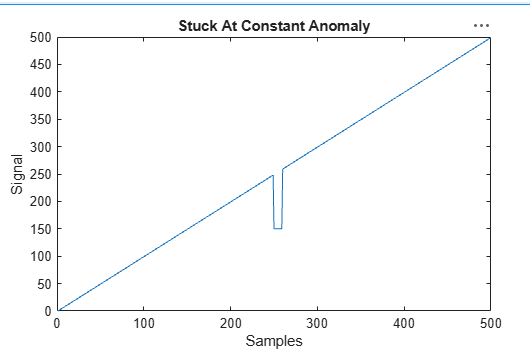
The StuckAtConstantAnomaly object specifies the characteristics
of an anomaly model that you can inject into a time series using injectAnomaly.
This anomaly causes the time series to "stick" at a constant value for the duration of the
anomaly. Name-value argument specifications in injectAnomaly determine
the window location and length during which the anomaly occurs.
You create this model using syntheticAnomaly. StuckAtConstantAnomaly is one type of anomaly
model in a set of anomaly objects that you can use to perturb a time series in multiple ways.
You can then use this perturbed time series to help validate anomaly detection models against
different anomaly types.
Properties
Object Functions
injectAnomaly | Inject anomalies defined by one or more anomaly models into a univariate time series |
Version History
Introduced in R2026a

