Generate System Design Reports with Report API
R2026bThis example shows how to generate a Report API-based system design report. The system design report is a description of the design of a dynamic system generated from the Simulink® model of the system.
A Report API-based system design report uses objects of Report API classes to report on system components. See Create Report Generators for Simulink and Stateflow Elements.
The gensdd Function
The gensdd function, which is included with this example, generates a report that includes these sections:
Title Page
Table of Contents
List of Figures
List of Tables
System Hierarchy
Root System chapter that contains the root block diagram, model notes if any, task and block execution order, and properties of each block in the root diagram
Subsystems chapter that contains the diagram, model notes if any, block execution order, and block properties of the model subsystems
Charts chapter that contains the charts and chart object properties of each of the model charts
Design Data chapter that contains the model variables
System Model Configuration chapter that contains details about the active configuration set for the model
The complete gensdd function is listed at the end of this example. You can modify the gensdd.m file to create a custom system design report.
Generate a PDF System Design Report for the sf_car Model
Generate a system design report for the sf_car model and specify that the document is a PDF.
gensdd("sf_car","PDF");
Here is the first page of the report:
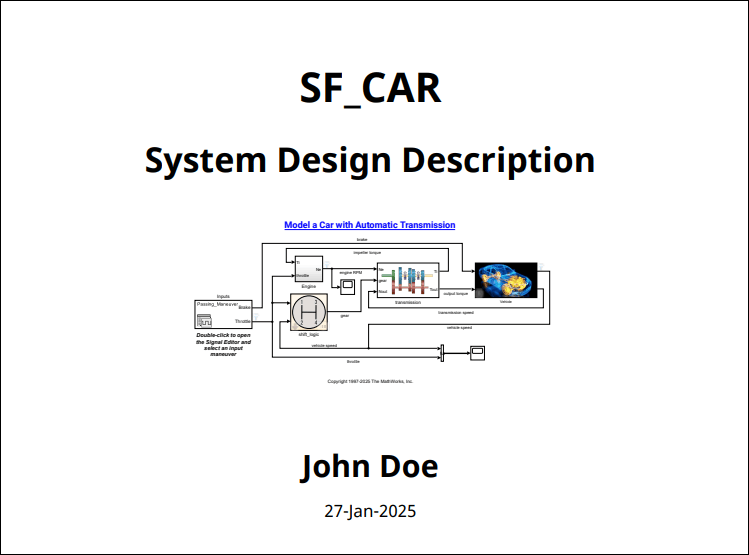
This example includes a copy of the report in the file sdd_sf_car_copy.pdf.
Customize the Report
The gensdd function uses objects of these Report API classes to find system design elements and report on the system design:
Reporter Classes
Finder and Result Classes
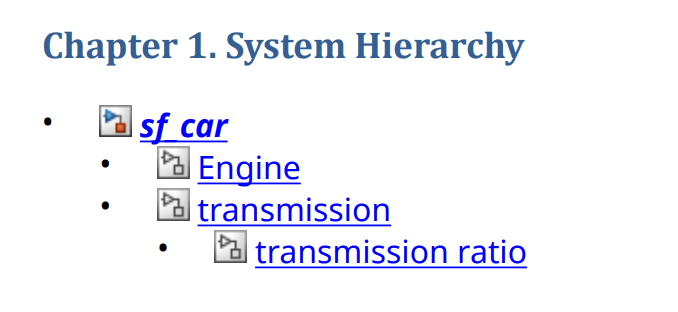
You can use the properties of these objects to filter and format the information that is reported. For example, in the makeSystemHierarchy function in the gensdd.m file, you can change the system hierarchy list format to an ordered list by setting the ListFormatter property of the slreportgen.report.SystemHierarchy reporter.
function makeSystemHierarchy(rpt, hModel)
% Create a chapter reporting on the system hiearchy
import mlreportgen.report.*
import slreportgen.report.*
ch = Chapter("Title", "System Hierarchy");
ol = mlreportgen.dom.OrderedList();
add(ch,SystemHierarchy("Source",hModel,"ListFormatter",ol));
add(rpt, ch);
end
The report also uses objects of these Report API classes to create and format the sections of the report:
You can customize the appearance of the report and sections. See Report Formatting Approaches.
The Complete gensdd Function
type gensdd.mSee Also
slreportgen.report.SystemHierarchy | slreportgen.report.Diagram | slreportgen.report.SystemIO | slreportgen.finder.SystemDiagramFinder | slreportgen.finder.DiagramResult | slreportgen.finder.DiagramElementResult | slreportgen.finder.StateflowDiagramElementFinder | slreportgen.finder.ModelVariableFinder | slreportgen.finder.ModelVariableResult | slreportgen.report.ModelVariable | slreportgen.finder.BlockFinder | slreportgen.finder.BlockResult | slreportgen.finder.ChartDiagramFinder | slreportgen.report.SimulinkObjectProperties

