MAVLink Bridge Source
R2026bMAVLink Bridge Source block
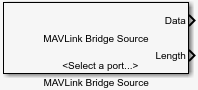
To add a block to a model, double-click the canvas and start typing the block name. Then, select the block from the list.
Libraries:
UAV Toolbox Support Package for PX4 Autopilots /
PX4 Utility Blocks /
MAVLink Bridge Blocks
Description
Add-On Required: This feature requires the UAV Toolbox Support Package for PX4 Autopilots add-on.
The MAVLink Bridge Source block reads MAVLink data stream from the Pixhawk® board connected to the serial port and routes it to the Simulink® plant model and the configured UDP/TCP objects. This block allows you to configure Serial, UDP, and TCP connections.
To access the block, open the block library by entering the following command in the MATLAB® Command window.
px4MAVLinkBridgelib
The MAVLink Bridge Source and MAVLink Bridge Sink blocks provide a way to route MAVLink data stream from Pixhawk hardware to the mission planning software QGroundControl(QGC), On-board computer hardware, Simulink Plant, and vice versa in HITL workflow. For more information, see MAVLink Connectivity for QGC, On-board Computer and Simulink Plant.
Ports
Output
Parameters
Programmatic Use: Add Block
To add the block programmatically, use the add_block function with one of these library block paths as the source.
"px4MAVLinkBridgelib/MAVLink Bridge Sink"
Example: add_block("px4MAVLinkBridgelib/MAVLink Bridge Sink","myModel/myBlock",MakeNameUnique="on")
Version History
Introduced in R2022a

