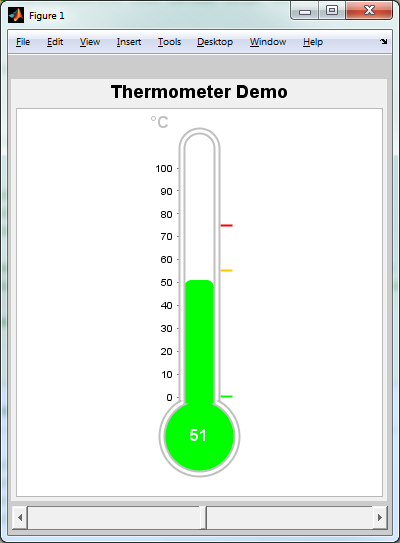
Thermometer Demo

Thermometer example of using JFreeChart and Matlab functionality within Matlab.

You are now following this Submission

ThermometerDemo alá JFreeChart (http://www.jfree.org/jfreechart/).

The code behind is just a demo of what is possible with JFreeChart using it in Matlab. I played a little
with codesnippets I found on the web and the API-Documentation.
(http://www.jfree.org/jfreechart/api/javadoc/index.html). When you want to explore the whole functionality,
I think it is better to buy the JFreeChart Developer Guide (http://www.jfree.org/jfreechart/devguide.html).

This function shows a thermometer and a slider as an example of JFreeChart (http://www.jfree.org/). The Idea
to this code is based on the UndocumentedMatlab-Blog of Yair Altman, who shows a sample Code of JFreeChart
for creating a PieChart (http://undocumentedmatlab.com/blog/jfreechart-graphs-and-gauges/#comments)

Before this demo works, you need to download JFreeChart and make matlab get to know with it. There are 2
ways you can do this:
1. Add the jcommon and jfreechart jar to the dynamic matlab JavaClassPath (uncommented lines in the first
cell an change path to your local installation path)
2. Add the jcommon and jfreechart jar to the static matlab JavaClassPath (see Matlab Help, modify
classpath.txt on matlabroot\toolbox\local)

Finally you must donwload jcontrol from Malcom Lidierth
(http://www.mathworks.com/matlabcentral/fileexchange/15580-using-java-swing-components-in-matlab).

Cite As

Sven Koerner (2026). Thermometer Demo (https://ch.mathworks.com/matlabcentral/fileexchange/30403-thermometer-demo), MATLAB Central File Exchange. Retrieved .

Acknowledgements

Inspired by: Using Java Swing components in MATLAB

General Information

MATLAB Release Compatibility

  • Compatible with any release

Platform Compatibility

  • Windows
  • macOS
  • Linux
Version Published Release Notes Action
1.0.0.0