FPGA Data Capture
R2026bUse FPGA data capture to observe signals from your design while the design is running on the FPGA. This feature captures a window of signal data from the FPGA and returns the data to MATLAB® or Simulink®. To capture the signals, SoC Blockset™ for AMD generates an IP core that you must integrate into your HDL project and deploy to the FPGA along with the rest of your design. SoC Blockset for AMD also generates an app, System object™, and Simulink model that communicate with the FPGA and return the data to MATLAB or Simulink.
To capture FPGA data:
Generate customized components and an IP core. Specify port names and sizes for the generated IP. These ports connect to the signals you want to capture, and the signals you want to use as triggers to control when the capture occurs.
Integrate the generated IP into your FPGA design and deploy the design to your FPGA board.
Use the generated app, System object, or Simulink model to capture data for analysis, verification, or display. You can configure a trigger condition to control when the capture occurs and a capture condition to control which data to capture.
Capture data from different clock domains to debug your FPGA design by using multiple FPGA data capture IPs. For more information about multiple FPGA data capture, see Capture Asynchronous Data.
To use FPGA data capture, you must download the SoC Blockset Support Package for AMD FPGA and SoC Devices. For information on downloading support package, see Install Support for AMD FPGA and SoC Devices.

Apps
| Logic Analyzer | Visualize, measure, and analyze transitions and states over time |
Tools
| FPGA Data Capture Component Generator | Configure and generate FPGA data capture components |
| FPGA Data Capture | Capture data from live FPGA into MATLAB workspace interactively |
Functions
hdlverifier.FPGADataReader | Capture data from live FPGA into MATLAB workspace |
dataCaptureHub | Communicate with multiple data capture IPs (Since R2024a) |
generateFPGADataCaptureIP | Open FPGA Data Capture Component Generator |
addFPGADataCaptureToVivado | Add data capture IPs to Vivado project (Since R2024a) |
Blocks
 | FPGA Data Reader | Capture data from live FPGA into Simulink model |
Topics
Overview
- Data Capture Workflow
Capture signal data from a design running on an FPGA. - Capture Asynchronous Data
Capture asynchronous data from a design running on an FPGA using multiple data capture IPs.
Data Capture Requirements and Preparation
- Install Support for AMD FPGA and SoC Devices
Instructions to install support for AMD® FPGA and SoC devices. - Set Up FPGA Design Software Tools
Set the MATLAB path to AMD, Microchip, and Intel® software. - Set Up AMD FPGA and SoC Devices
Configure and verify your hardware connection, using the hardware setup tool. - Configure Logic Analyzer
Adjust settings in the Logic Analyzer.
Data Capture Processes
- Capture Data over PS Ethernet
Capture data over PS Ethernet interface. - Capture Data over USB Ethernet
Capture data over USB Ethernet interface. - Triggers
Use trigger conditions to capture data around specific events on the FPGA. - Capture Conditions
Use capture condition to control which data to capture from the FPGA. - Design Considerations for Data Capture
Signal, timing, and interface limitations for FPGA data capture.
Featured Examples
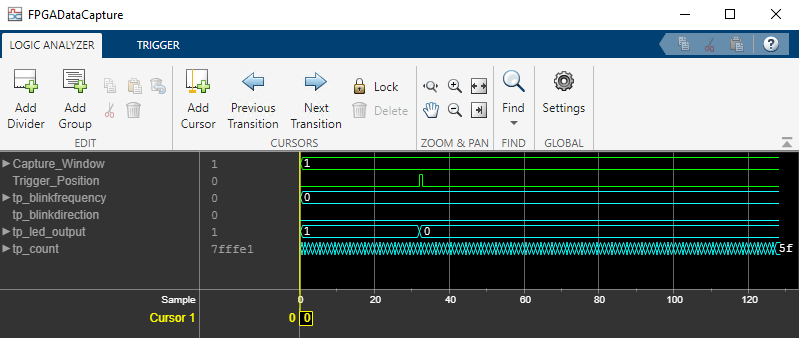
Debug IP Core Using FPGA Data Capture
Debug an IP core you generate in SoC Blockset™ using only FPGA Data Capture as well as both AXI Manager and FPGA Data Capture together. This example also shows how to capture a large amount of data to external memory using FPGA Data Capture.
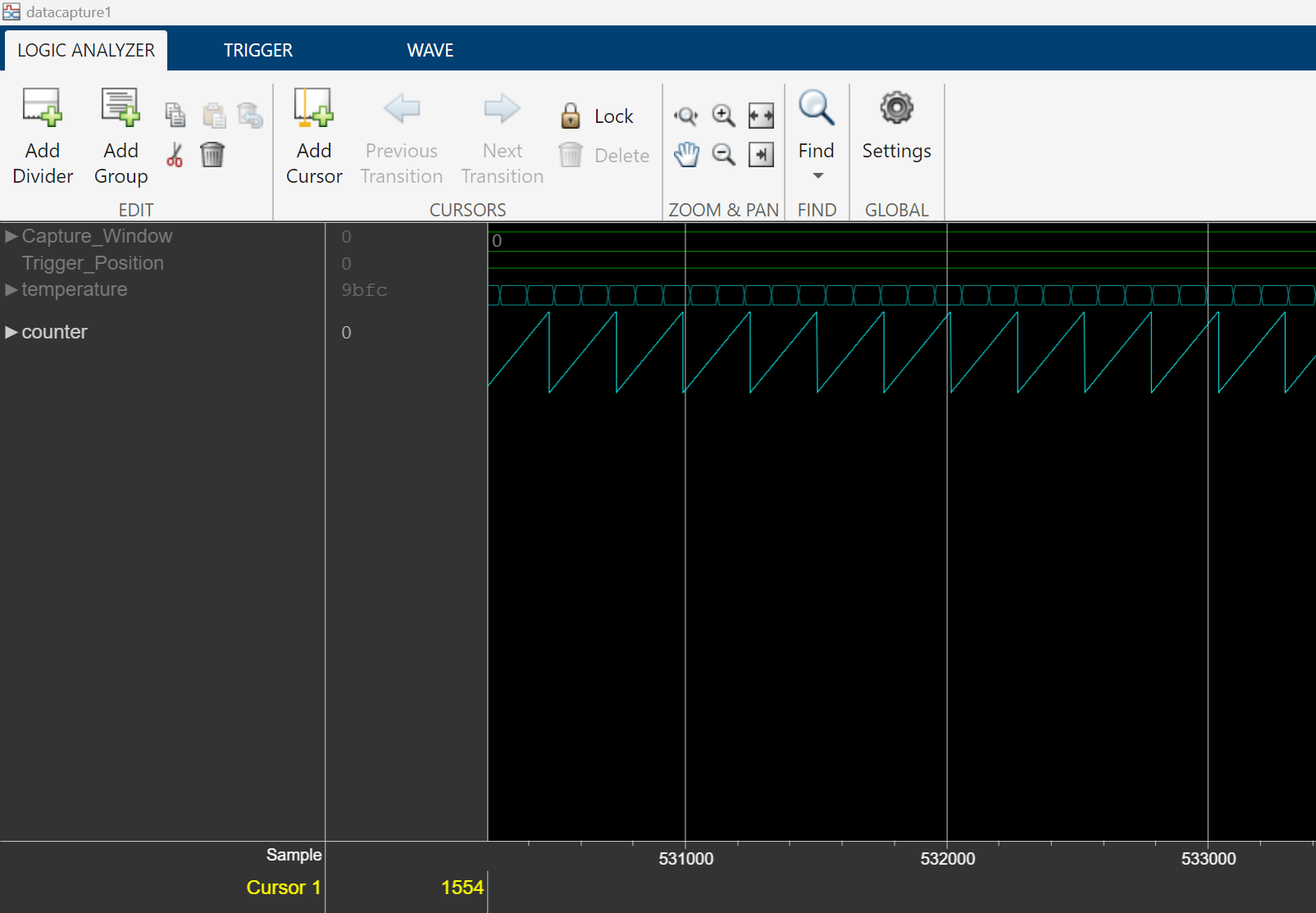
Capture Temperature Sensor Data from AMD FPGA Board Using FPGA Data Capture
Use FPGA data capture with existing HDL design to capture FPGA internal signals over a JTAG or Ethernet connection.
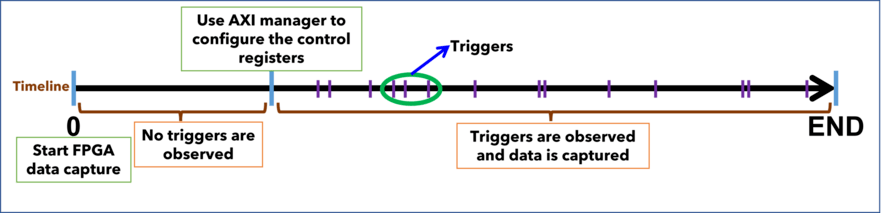
Debug YOLO v2 Vehicle Detector on FPGA
Debug a vehicle detector design by viewing internal signals while the design is deployed on a board.
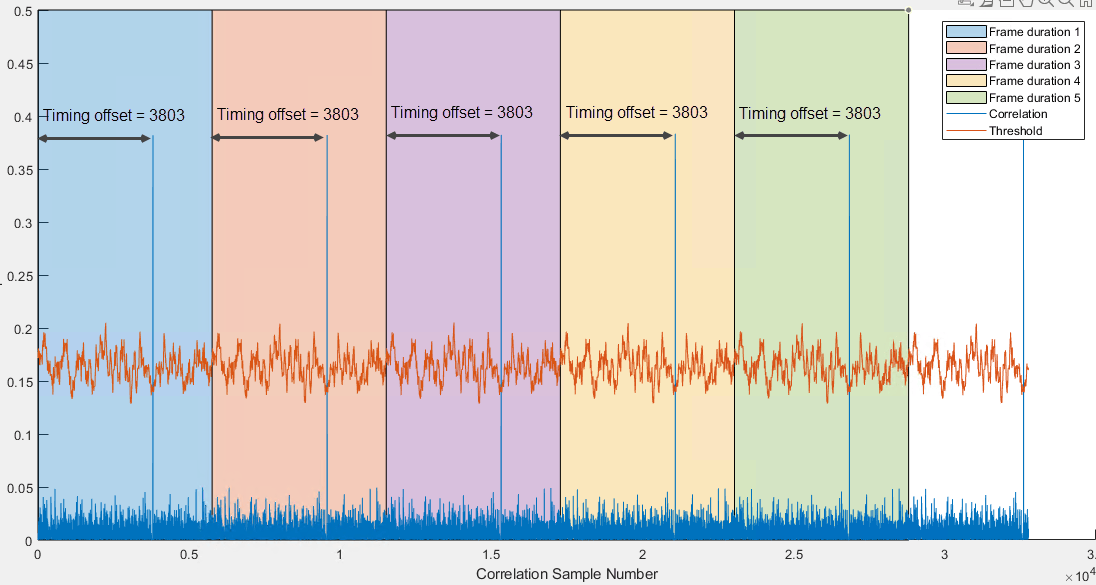
Verify OFDM Transmit and Receive Using FPGA Data Capture
Debug, visualize, and analyze the internal signals of a wireless HDL IP while you run the complete design on hardware.
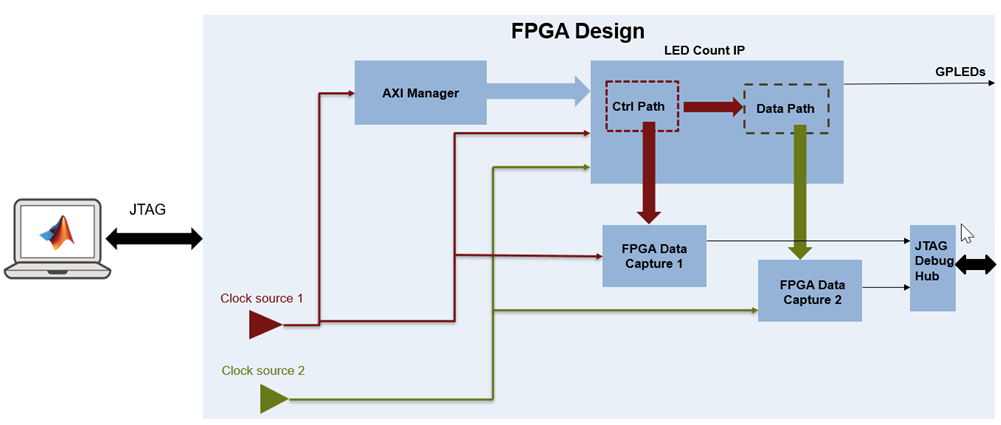
Capture Asynchronous Data from FPGA Using Multiple FPGA Data Capture IPs
Use multiple FPGA data capture IPs with existing HDL design to capture asynchronous FPGA internal signals over JTAG connection.

