Fit Empirical Models to Spark Ignition Engine Calibration Data
R2026bAfter designing the experiments and collecting the data, you can fit statistical models to the data. Use the toolbox to generate accurate, fast-running models from the measured engine data.
The dynamometer test setup is in speed/torque and so the design is in speed/torque. The model is in speed/load because the production engine controller implementation uses load (derived from air flow) instead of torque tables. The controller uses load because airflow sensors are presently less expensive in mass production than torque meters.
Examine Response Models
Open MATLAB®. On the Apps tab, in the Automotive group, click MBC Model Fitting.
In the Model Browser home page, in the Case Studies list, open Dual CAM gasoline engine with spark optimized during testing.
In the
gasolineOneStage.matproject, click the second test plan node in the All Models tree,gasolineOneStageModels.To assess high-level model trends, at the test plan node select the Response Models tab. After you fit models, the view at the test plan node displays the Response Models tab by default. View the cross-section plots of all the response models.
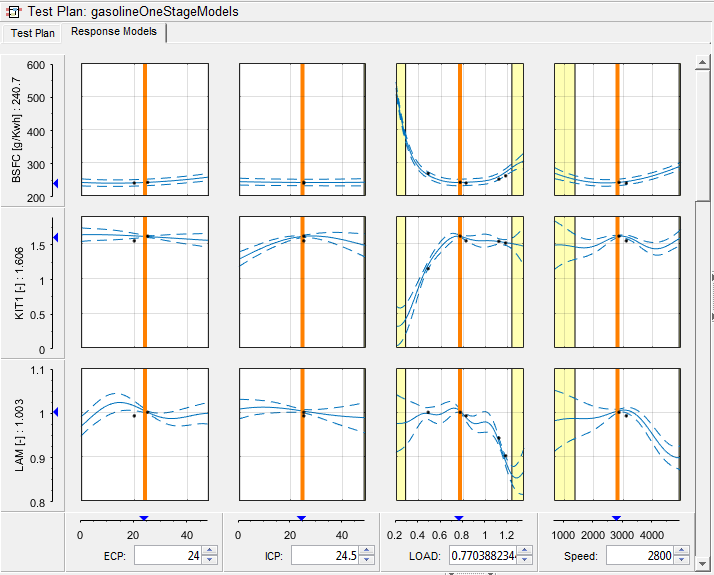
To view each response model in detail, expand
gasolineOneStageModelstest plan node in the All Models tree. Select the first response node under the test plan node,BSFC.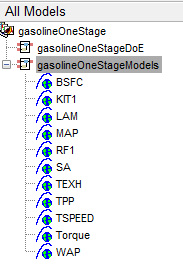
Examine the Response Surface plot and the Diagnostic Statistics plot.
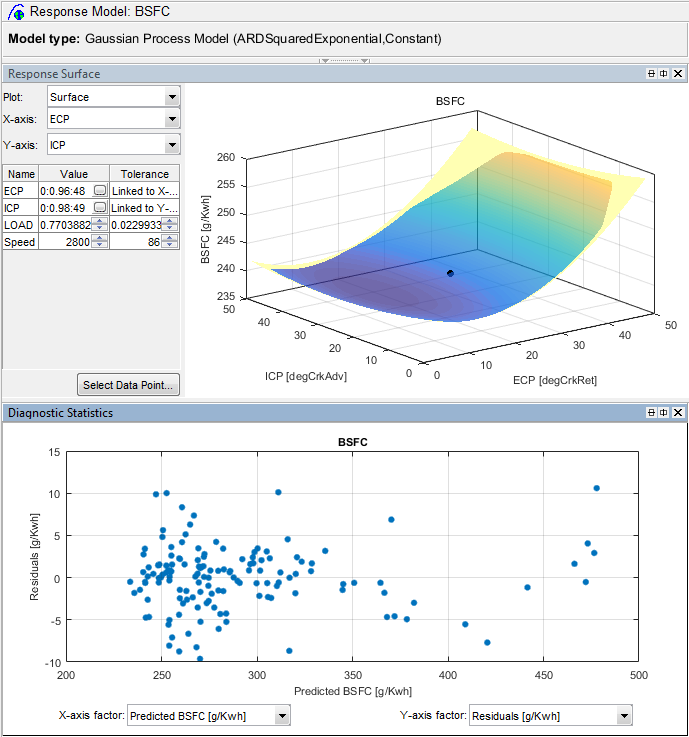
Examine the other responses in the All Models tree.
For details on using the plots and statistics to analyze models, see Assess High-Level Model Trends and Assess One-Stage Models.
Examine the Test Plan
Examine the model setup.
At the
gasolineOneStageModelstest plan node, change to the test plan view if necessary by clicking the Test Plan tab. The Model Browser remembers selected views.Observe the inputs and response model outputs listed on the test plan diagram.
Double-click the Inputs block to view the ranges and names (symbols) for variables on the Input Factor Set Up dialog box.
Double-click the Model block to view that the model class is the default for one-stage models, a
Gaussian Process Model. When you use the Fit models button in the Common Tasks pane, and select aOne-stagetemplate, the toolbox sets the model type to a Gaussian Process Model.For details on setting up one-stage models, see Fit a One-Stage Model.
Click Cancel to close the Model Setup dialog box without altering your example models.
For next steps, see Optimize Spark Ignition Engine Calibration Using Statistical Models.

