listClients
R2026bList all connected MAVLink clients
Description
clientTable = listClients(mavlink)mavlinkio client
connection.
Examples
Connect a local MAVLink client to a serial port and establish communication with a Pixhawk® 4 board running PX4® firmware by exchanging heartbeat messages.
Create a mavlinkdialect
object using the common.xml file.
dialect = mavlinkdialect("common.xml");Create a local MAVLink client by using the mavlinkio
object.
gcs = mavlinkio(dialect);
Store the remote MAVLink client information by using the mavlinkclient
object. This code stores information for a Pixhawk board with a system ID of 1 and a component ID of 1.
uav = mavlinkclient(gcs,1,1)
uav =
  mavlinkclient with properties:

         SystemID: 1
      ComponentID: 1
    ComponentType: "Unknown"
    AutopilotType: "Unknown"
Connect the local MAVLink client to the same serial port as the Pixhawk board by using the connect
function. In this code, the Pixhawk board uses the "COM5" port.
connect(gcs,"Serial",SerialPort="COM5");
Create a heartbeat microservice object.
heartbeat = mavlinkmicroservice(gcs,"heartbeat");Start sending heartbeat messages to the Pixhawk board by using the start
function.
start(heartbeat,uav,"Serial",SerialPort="COM5")
If the Pixhawk board replies with heartbeat messages, the local MAVLink client establishes a connection to it.
Verify that a connection has been established by using the listClients
function. Note that the heartbeat messages include the ComponentType and
AutopilotType information of the Pixhawk board.
listClients(gcs)
ans = 2×4 table
    SystemID    ComponentID       ComponentType             AutopilotType
    ________    ___________    ____________________    _______________________

      255            1            "MAV_TYPE_GCS"        "MAV_AUTOPILOT_INVALID"
       1             1         "MAV_TYPE_QUADROTOR"       "MAV_AUTOPILOT_PX4"
Verify that the ComponentType and
AutopilotType properties of the mavlinkclient
object have been automatically updated to match the heartbeat message values.
uav
uav =
  mavlinkclient with properties:

         SystemID: 1
      ComponentID: 1
    ComponentType: "MAV_TYPE_QUADROTOR"
    AutopilotType: "MAV_AUTOPILOT_PX4"
To stop the connection, first stop the heartbeat message stream.
stop(heartbeat,uav)
Then, disconnect the local MAVLink client from the serial port.
disconnect(gcs)
Connect a local MAVLink client to QGroundControl by exchanging heartbeat messages over UDP,
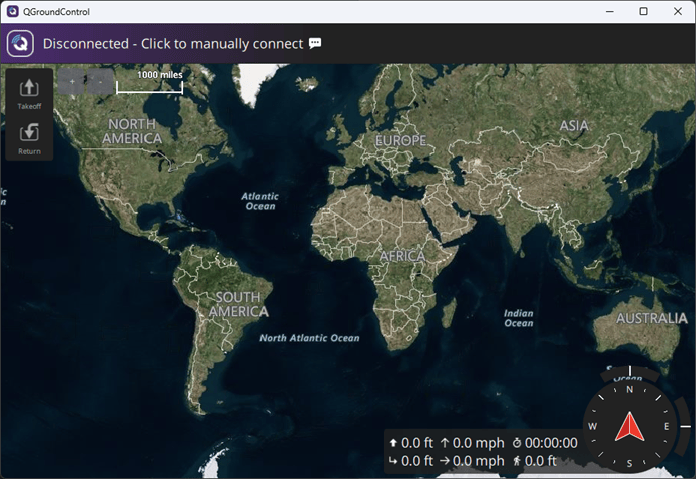
Open QGroundControl.
Create a mavlinkdialect object using the common.xml file.
dialect = mavlinkdialect("common.xml");Create a local MAVLink client that represents a simulated UAV by creating a mavlinkio object with these settings:
MAVLink message definition —
dialectMAVLink system ID —
1MAVLink component ID —
1MAVLink component type —
MAV_TYPE_QUADROTORMAVLink autopilot type —
MAV_AUTOPILOT_GENERIC
uav = mavlinkio(dialect,SystemID=1,ComponentID=1,AutopilotType="MAV_AUTOPILOT_GENERIC", ...
    ComponentType="MAV_TYPE_QUADROTOR");
Store the remote MAVLink client information that represents QGroundControl. By default, QGroundControl has a system ID of 255 and a component ID of 190.
qgc = mavlinkclient(uav,255,190);
Connect the local MAVLink client to a UDP port by using the connect function.
connect(uav,"UDP");Verify that the local MAVLink client has connected to a UDP port by using the listConnections function.
connectionTable = listConnections(uav)
connectionTable =
   1x2 table
       ConnectionName         ConnectionInfo
       ______________      ___________________

        "Connection1"      "UDP@0.0.0.0:55371"
Create a heartbeat microservice object.
heartbeat = mavlinkmicroservice(uav,"heartbeat");Specify the host address and port of QGroundControl.
qgcHost = "127.0.0.1";
qgcPort = 14550;
Start sending heartbeat messages to QGroundControl by using the start function.
start(heartbeat,qgc,"UDP",RemoteHost=qgcHost,RemotePort=qgcPort);If QGroundControl replies with heartbeat messages, the local MAVLink client establishes a connection to it.
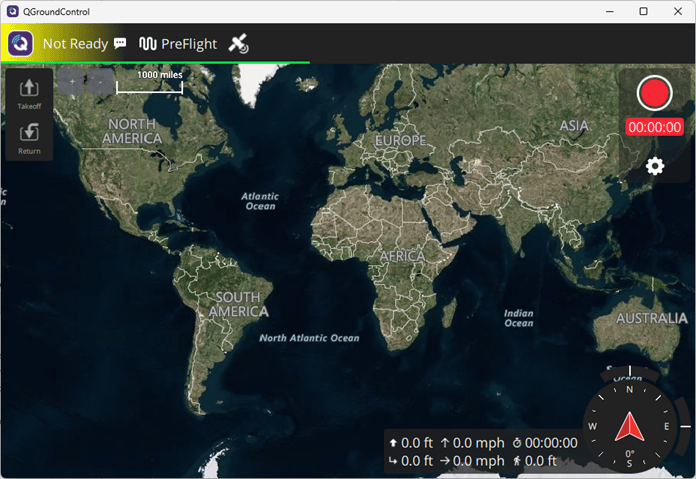
Verify that the connection has been established by using the listClients
function.
listClients(uav)
ans = 2×4 table
    SystemID    ComponentID       ComponentType             AutopilotType
    ________    ___________    ____________________    _______________________

      255           190          "MAV_TYPE_GCS"        "MAV_AUTOPILOT_INVALID"
       1             1        "MAV_TYPE_QUADROTOR"     "MAV_AUTOPILOT_GENERIC"
To stop the connection, first stop the heartbeat message stream.
stop(heartbeat,gcs)
Then, disconnect the local MAVLink client from the UDP port.
disconnect(uav)
Input Arguments
Output Arguments
Version History
Introduced in R2019a
See Also
connect | listConnections | listTopics | mavlinkio | mavlinkdialect | mavlinkclient | mavlinksub

