How can i get a smooth curve for a singly curved shell ,surface plot for a 4*4 mesh.I cannot increase the mesh size.
Show older comments
Co-ordinates X Y Z
0 0 0.000000000000000
0 0.019050000000000 0.000000000000000
0 0.038100000000000 0.000000000000000
0 0.057150000000000 0.000000000000000
0 0.076200000000000 0.000000000000000
0.025368945899734 0 0.001269599062100
0.025368945899734 0.019050000000000 0.001269599062100
0.025368945899734 0.038100000000000 0.001269599062100
0.025368945899734 0.057150000000000 0.001269599062100
0.025368945899734 0.076200000000000 0.001269599062100
0.050766112417292 0 0.001692955556747
0.050766112417292 0.019050000000000 0.001692955556747
0.050766112417292 0.038100000000000 0.001692955556747
0.050766112417292 0.057150000000000 0.001692955556747
0.050766112417292 0.076200000000000 0.001692955556747
0.076163278934849 0 0.001269599062100
0.076163278934849 0.019050000000000 0.001269599062100
0.076163278934849 0.038100000000000 0.001269599062100
0.076163278934849 0.057150000000000 0.001269599062100
0.076163278934849 0.076200000000000 0.001269599062100
0.101532224834583 0 0.000000000000000
0.101532224834583 0.019050000000000 0.000000000000000
0.101532224834583 0.038100000000000 0.000000000000000
0.101532224834583 0.057150000000000 0.000000000000000
0.101532224834583 0.076200000000000 0.000000000000000
2 Comments

Walter Roberson
on 3 Jan 2013
Is there a question of some kind of accuracy to be retained? Is there a data model to rely on? Or should the surface just be "whatever looks good" as long as it has those values at those particular locations?

Deviprakash Upadhyaya
on 3 Jan 2013
Accepted Answer
Walter Roberson
on 3 Jan 2013
0 votes
Reduce the plot size until the largest axis is represented by adjacent pixels. The mesh plot will then be smooth.
Short of this, you need to decide what values the surface should have in-between your existing points, which will require doing a bunch of interpolation. You cannot, however, do interpolation without having an interpolating function. A linear interpolation function will not do you any good: that would result in a surface just as flat as you are already seeing.
If there are known equations for the datapoints, f(x,y), then you could apply the equation to the intermediate points. This could involve fitting some parameters of the equations.
If the equations for the datapoints are unknown, then you can choose an arbitrary interpolating function, for the sole purpose of making the surface look nice, without any concern about whether the values in-between are meaningful. There are routines available that help construct spline interpolations; people seem to like those routines. Myself I think they get badly overused, that people have entirely too much tendency to confuse the spline surface with being real information about the behavior of the function, but that's my opinion and others disagree. You could look at John D'errico's work in the File Exchange.
More Answers (2)
Lalit Patil
on 3 Jan 2013
0 votes
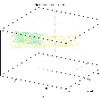
plot3(X,Y,Z,'r.')

Azzi Abdelmalek
on 3 Jan 2013
Edited: Azzi Abdelmalek
on 3 Jan 2013
x=reshape(X,5,[])
y=reshape(Y,5,[])
z=reshape(Z,5,[])
mesh(X,Y,Z)
Categories
Find more on Surface and Mesh Plots in Help Center and File Exchange
on 3 Jan 2013
Community Treasure Hunt
Find the treasures in MATLAB Central and discover how the community can help you!
Start Hunting!
