getPlotPosition

Returns plot position for use later on.

You are now following this Submission

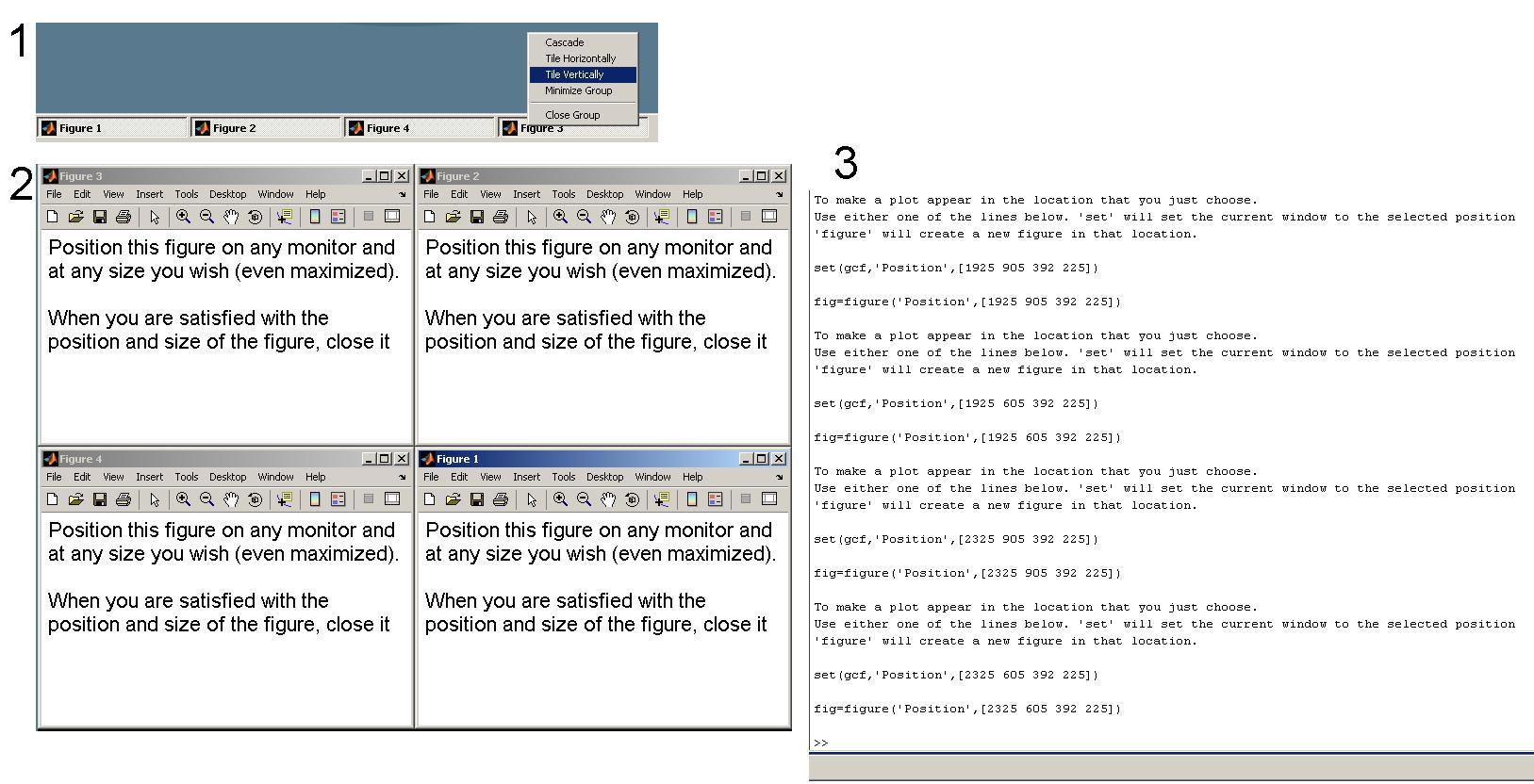
getPlotPosition opens a figure which, when closed, will return the exact Position coordinates of the figure. You then can force figures to appear exactly where it is most convenient for you without having to know how Matlab references position.

Example: You can place the figure on a second monitor and maximize. When you close the figure it will return the 'Position' values so that you can place all figures on the second monitor maximized.

Launching multiple instances of getPlotPosition and using the Windows "Tile" command will give you the values so that you can have 2 (or more) figures always appear tiled.

Cite As

Jed F. (2026). getPlotPosition (https://ch.mathworks.com/matlabcentral/fileexchange/21351-getplotposition), MATLAB Central File Exchange. Retrieved .

Categories

Find more on Interactive Control and Callbacks in Help Center and MATLAB Answers

General Information

MATLAB Release Compatibility

  • Compatible with any release

Platform Compatibility

  • Windows
  • macOS
  • Linux
Version Published Release Notes Action
1.0.0.0