You are now following this Submission
- You will see updates in your followed content feed
- You may receive emails, depending on your communication preferences
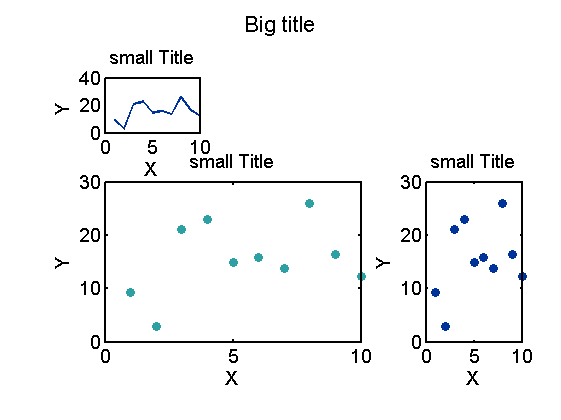
Similar to `subplot`, but can add a major title on top. Can change the size of padding between subplots
Syntax: mysubplot( L, W, ID, bigtitle, tightL, tightW)
L, W: the dimension of subplots as in subplot(L,W,ID);
to make larger subplot, make [ID] a vector with IDs of multiple cells.
ID: The location of subplot as in subplot(L,W,ID)
to make mojor title, set ID = 0
bigtitle: string of the major title; be ignored when ID ~= 0. (can put [] as place holder)
tightL, tightW: How tight the subplots packed, on the first and second dimension.
Or the ratio of space between subplots to the size of subplot.
Default : 0.3, 0.3
To make subplot: mysubplot(L, W, ID, [], tightL, tightW)
(use the first 3 arguments like in matlab function subplot.)
To make major title: mysubplot(L, W, 0, bigtitle)
(use the first 2 arguments like in subplot, but set ID = 0.)
To print subplot cell layout: mysubplot(L, W)
See PDF for full documentation.
Cite As
Wei-Ting Lin (2026). mysubplot: subplots with major title (https://ch.mathworks.com/matlabcentral/fileexchange/53123-mysubplot-subplots-with-major-title), MATLAB Central File Exchange. Retrieved .
Acknowledgements
Inspired by: mtit: a pedestrian major title creator, mycolor(colorcode, selectplate)
Inspired: myplot_RAC: Rank-Abundance Curve
General Information
- Version 2.0.0.0 (125 KB)
MATLAB Release Compatibility
- Compatible with any release
Platform Compatibility
- Windows
- macOS
- Linux
