Main Content

imresize3

Resize 3-D volumetric image

Description

B = imresize3(V,scale) resizes the numeric or categorical volume V by the scale factor scale.

If scale is between 0 and 1, then B is smaller than V. If scale is greater than 1, then B is larger than V. If V is a color or multichannel volume, then imresize3 resizes only the three spatial dimensions (since R2026a).

example

B = imresize3(V,sz) resizes the volume V to size sz.

B = imresize3(___,method) specifies the interpolation method, in addition to any combination of input arguments from previous syntaxes.

B = imresize3(___,Name=Value) uses name-value arguments to control aspects of the operation. For example, control antialiasing by using the Antialiasing name-value argument.

Examples

collapse all

Read an MRI volume into the workspace.

s = load("mri.mat");
volOriginal = squeeze(s.D);
volOriginal = double(volOriginal);
sizeO = size(volOriginal)
sizeO = 1×3

   128   128    27

Visualize the volume.

slice(volOriginal,sizeO(2)/2,sizeO(1)/2,sizeO(3)/2)
shading interp
colormap gray
axis equal
title("Original")
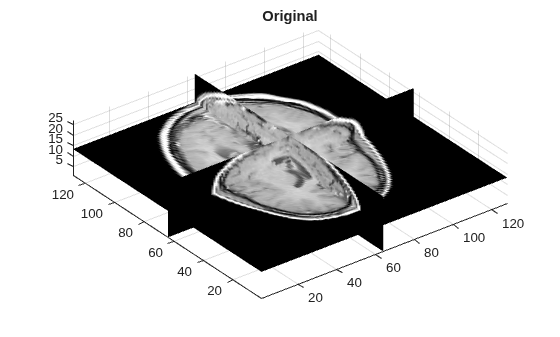
Figure contains an axes object. The axes object with title Original contains 3 objects of type surface.

Resize the volume by applying a scale factor of 0.5 to all dimensions. This example uses the default interpolation method and antialiasing.

volScaled = imresize3(volOriginal,0.5);
sizeS = size(volScaled)
sizeS = 1×3

    64    64    14

Visualize the resized volume.

slice(volScaled,sizeS(2)/2,sizeS(1)/2,sizeS(3)/2)
shading interp
colormap gray
axis equal
title("Rescaled")
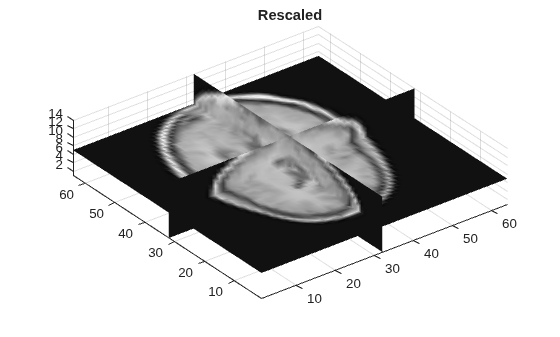
Figure contains an axes object. The axes object with title Rescaled contains 3 objects of type surface.

Resize the original volume to a target size of 100-by-100-by-50 pixels.

volResized = imresize3(volOriginal,[100 100 50]);
sizeR = size(volResized)
sizeR = 1×3

   100   100    50

Visualize the resized volume.

slice(volResized,sizeR(2)/2,sizeR(1)/2,sizeR(3)/2)
shading interp
colormap gray
axis equal
title("Resized")
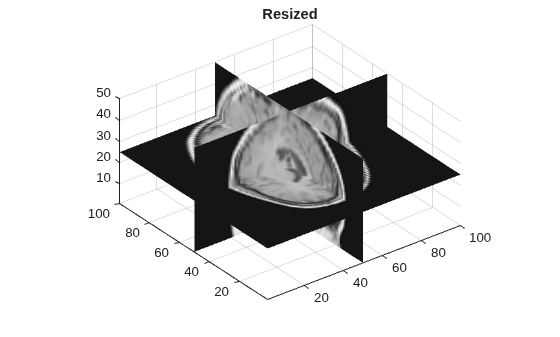
Figure contains an axes object. The axes object with title Resized contains 3 objects of type surface.

Since R2026a

Read an RGB volume into the workspace.

load("colorVol.mat");
size(colorVol)
ans =

   500   500   200     3

Display the original volume with a scale bar.

vC = volshow(colorVol);
vC.Parent.ScaleBar = "on";
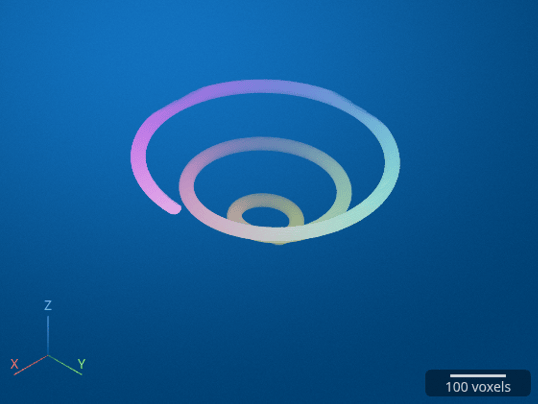
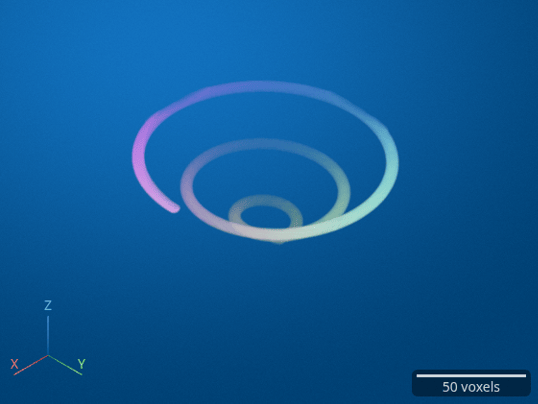
Resize the volume by a scale factor of 0.25 in all spatial dimensions. Then, display the rescaled volume with a scale bar.

volScaled = imresize3(colorVol,0.25);
size(volScaled)
vS = volshow(volScaled);
vS.Parent.ScaleBar = "on";
ans =

   125   125    50     3
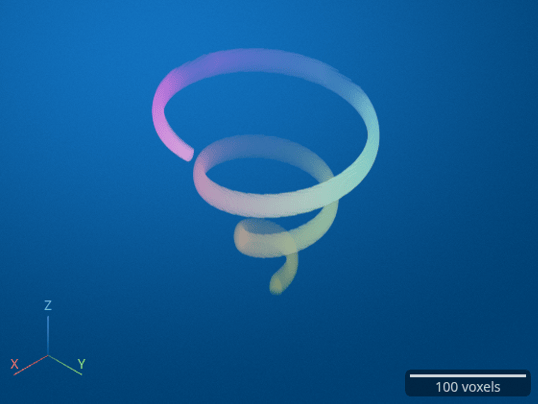
Resize the original volume to a target size of 200-by-200-by-200 pixels. Then, display the rescaled volume with a scale bar.

volResized = imresize3(colorVol,[200 200 200]);
size(volResized)
vR = volshow(volResized);
vR.Parent.ScaleBar = "on";
ans =

   200   200   200     3
Input Arguments

collapse all

Volume to be resized, specified as a numeric array or categorical array. For color and multichannel volumes, the dimensions must be in the order [rows columns planes channels].

Data Types: single | double | int8 | int16 | int32 | uint8 | uint16 | uint32 | categorical

Scale factor, specified as a positive number.

  • If scale is less than 1, then the output image is smaller than the input volume.

  • If scale is greater than 1, then the output image is larger than the input volume.

imresize3 applies the scale factor to each spatial dimension in the volume. To apply a different scale factor to each spatial dimension, use the Scale name-value argument.

If you specify a scale factor that does not result in integer-length image dimensions, then imresize3 follows the resizing operation with a call to the ceil function. In other words, the output image has size ceil(scale*size(V)).

If you specify the scale argument and an output size, then imresize3 resizes the image according to the output size and ignores the value of scale. If you specify the scale argument and the Scale name-value argument, then imresize3 resizes the image according to Scale and ignores the value of scale.

Size of the output volume, specified as a 3-element vector of positive integers in the order [numrows numcols numplanes]. If you specify one numeric value and the other two values as NaN, then imresize3 calculates the other two elements automatically to preserve the aspect ratio.

If you specify the sz argument and a scale factor, then imresize3 resizes the image according to sz and ignores the value of the scale factor. If you specify the sz argument and the OutputSize name-value argument, then imresize3 resizes the image according to OutputSize and ignores the value of sz.

Data Types: single | double

Interpolation method, specified as one of the values in the table. The default value for numeric and logical images is "cubic". The default value for categorical images is "nearest". Categorical images only support the values "nearest" and "box".

MethodDescription

"nearest" (or "box")

Nearest-neighbor interpolation, performed using a box-shaped interpolation kernel.

"linear" (or "triangle")

Linear interpolation, performed using a triangular interpolation kernel.

"cubic"

Cubic interpolation, performed using a piecewise cubic interpolation kernel.

Note

Cubic interpolation can produce pixel values outside the original range.

"lanczos2"Interpolation using a Lanczos-2 kernel.
"lanczos3"Interpolation using a Lanczos-3 kernel.

Data Types: char | string

Name-Value Arguments

collapse all

Specify optional pairs of arguments as Name1=Value1,...,NameN=ValueN, where Name is the argument name and Value is the corresponding value. Name-value arguments must appear after other arguments, but the order of the pairs does not matter.

Example: B = imresize3(V,0.25,Antialiasing=false) specifies not to perform antialiasing when shrinking the volume.

Before R2021a, use commas to separate each name and value, and enclose Name in quotes.

Example: B = imresize3(V,0.25,"Antialiasing",false)

Perform antialiasing when shrinking the volume, specified as a numeric or logical 1 (true) or 0 (false).

  • If method is "nearest", then the default value of Antialiasing is false.

  • If the interpolation method is the "box" interpolation kernel and the input volume is categorical, then the default value of Antialiasing is false.

  • For all other interpolation methods, the default value of Antialiasing is true.

Data Types: logical

Interpolation method, specified as a string scalar or character vector. For details, see method.

Data Types: char | string

Size of the output volume, specified as a 3-element vector of positive integers in the order numrows numcols numplanes. If you specify one numeric value and the other two values as NaN, then imresize3 calculates the other two elements automatically to preserve the aspect ratio.

If you specify the OutputSize name-value argument and the sz argument or a scale factor, then imresize3 resizes the image according to OutputSize and ignores the value of sz or the scale factor.

Resize scale factor, specified as a positive number or 3-element vector of positive numbers. If you specify a scalar, then imresize3 applies the same scale factor to each spatial dimension in the volume. If you specify a 3-element vector, then imresize3 applies each scale factor to the corresponding spatial dimension.

If you specify a resize scale factor that does not result in integer-length image dimensions, then imresize3 follows the resizing operation with a call to the ceil function. In other words, the output image has size ceil(Scale.*size(V)).

If you specify the Scale name-value argument and an output size, then imresize3 resizes the image according to the output size and ignores the value of Scale. If you specify the Scale name-value argument and the scale argument, then imresize3 resizes the image according to Scale and ignores the value of scale.

Output Arguments

collapse all

Resized volume, returned as an array of the same data type as the input volume, V.

Extended Capabilities

expand all

Version History

Introduced in R2017a

expand all