Results for

In the sequence of previous suggestion in Meta Cody comment for the 'My Problems' page, I also suggest to add a red alert for new comments in 'My Groups' page.
Thank you in advance.

If you use tables extensively to perform data analysis, you may at some point have wanted to add new functionalities suited to your specific applications. One straightforward idea is to create a new class that subclasses the built-in table class. You would then benefit from all inherited existing methods.
One workaround is to create a new class that wraps a table as a Property, and re-implement all the methods that you need and are already defined for table. The is not too difficult, except for the subsref method, for which I’ll provide the code below.
Class definition
Defining a wrapper of the table class is quite straightforward. In this example, I call the class “Report” because that is what I intend to use the class for, to compute and store reports. The constructor just takes a table as input:
classdef Rapport
methods
function obj = Report(t)
if isa(t, 'Report')
obj = t;
else
obj.t_ = t;
end
end
end
properties (GetAccess = private, SetAccess = private)
t_ table = table();
end
end
I designed the constructor so that it converts a table into a Report object, but also so that if we accidentally provide it with a Report object instead of a table, it will not generate an error.
Reproducing the behaviour of the table class
Implementing the existing methods of the table class for the Report class if pretty easy in most cases.
I made use of a method called “table” in order to be able to get the data back in table format instead of a Report, instead of accessing the property t_ of the object. That method can also be useful whenever you wish to use the methods or functions already existing for tables (such as writetable, rowfun, groupsummary…).
classdef Rapport
...
methods
function t = table(obj)
t = obj.t_;
end
function r = eq(obj1,obj2)
r = isequaln(table(obj1), table(obj2));
end
function ind = size(obj, varargin)
ind = size(table(obj), varargin{:});
end
function ind = height(obj, varargin)
ind = height(table(obj), varargin{:});
end
function ind = width(obj, varargin)
ind = width(table(obj), varargin{:});
end
function ind = end(A,k,n)
% ind = end(A.t_,k,n);
sz = size(table(A));
if k < n
ind = sz(k);
else
ind = prod(sz(k:end));
end
end
end
end
In the case of horzcat (same principle for vertcat), it is just a matter of converting back and forth between the table and Report classes:
classdef Rapport
...
methods
function r = horzcat(obj1,varargin)
listT = cell(1, nargin);
listT{1} = table(obj1);
for k = 1:numel(varargin)
kth = varargin{k};
if isa(kth, 'Report')
listT{k+1} = table(kth);
elseif isa(kth, 'table')
listT{k+1} = kth;
else
error('Input must be a table or a Report');
end
end
res = horzcat(listT{:});
r = Report(res);
end
end
end
Adding a new method
The plus operator already exists for the table class and works when the table contains all numeric values. It sums columns as long as the tables have the same length.
Something I think would be nice would be to be able to write t1 + t2, and that would perform an outerjoin operation between the tables and any sizes having similar indexing columns.
That would be so concise, and that's what we’re going to implement for the Report class as an example. That is called “plus operator overloading”. Of course, you could imagine that the “+” operator is used to compute something else, for example adding columns together with regard to the keys index. That depends on your needs.
Here’s a unittest example:
classdef ReportTest < matlab.unittest.TestCase
methods (Test)
function testPlusOperatorOverload(testCase)
t1 = array2table( ...
{ 'Smith', 'Male' ...
; 'JACKSON', 'Male' ...
; 'Williams', 'Female' ...
} , 'VariableNames', {'LastName' 'Gender'} ...
);
t2 = array2table( ...
{ 'Smith', 13 ...
; 'Williams', 6 ...
; 'JACKSON', 4 ...
}, 'VariableNames', {'LastName' 'Age'} ...
);
r1 = Report(t1);
r2 = Report(t2);
tRes = r1 + r2;
tExpected = Report( array2table( ...
{ 'JACKSON' , 'Male', 4 ...
; 'Smith' , 'Male', 13 ...
; 'Williams', 'Female', 6 ...
} , 'VariableNames', {'LastName' 'Gender' 'Age'} ...
) );
testCase.verifyEqual(tRes, tExpected);
end
end
end
And here’s how I’d implement the plus operator in the Report class definition, so that it also works if I add a table and a Report:
classdef Rapport
...
methods
function r = plus(obj1,obj2)
table1 = table(obj1);
table2 = table(obj2);
result = outerjoin(table1, table2 ...
, 'Type', 'full', 'MergeKeys', true);
r = reportingits.dom.Rapport(result);
end
end
end
The case of the subsref method
If we wish to access the elements of an instance the same way we would with regular tables, whether with parentheses, curly braces or directly with the name of the column, we need to implement the subsref and subsasgn methods. The second one, subsasgn is pretty easy, but subsref is a bit tricky, because we need to detect whether we’re directing towards existing methods or not.
Here’s the code:
classdef Rapport
...
methods
function A = subsasgn(A,S,B)
A.t_ = subsasgn(A.t_,S,B);
end
function B = subsref(A,S)
isTableMethod = @(m) ismember(m, methods('table'));
isReportMethod = @(m) ismember(m, methods('Report'));
switch true
case strcmp(S(1).type, '.') && isReportMethod(S(1).subs)
methodName = S(1).subs;
B = A.(methodName)(S(2).subs{:});
if numel(S) > 2
B = subsref(B, S(3:end));
end
case strcmp(S(1).type, '.') && isTableMethod (S(1).subs)
methodName = S(1).subs;
if ~isReportMethod(methodName)
error('The method "%s" needs to be implemented!', methodName)
end
otherwise
B = subsref(table(A),S(1));
if istable(B)
B = Report(B);
end
if numel(S) > 1
B = subsref(B, S(2:end));
end
end
end
end
end
Conclusion
I believe that the table class is Sealed because is case new methods are introduced in MATLAB in the future, the subclass might not be compatible if we created any or generate unexpected complexity.
The table class is a really powerful feature.
I hope this example has shown you how it is possible to extend the use of tables by adding new functionalities and maybe given you some ideas to simplify some usages. I’ve only happened to find it useful in very restricted cases, but was still happy to be able to do so.
In case you need to add other methods of the table class, you can see the list simply by calling methods(’table’).
Feel free to share your thoughts or any questions you might have! Maybe you’ll decide that doing so is a bad idea in the end and opt for another solution.

(Requested for newer MATLAB releases (e.g. R2026B), MATLAB Parallel Processing toolbox.)
Lower precision array types have been gaining more popularity over the years for deep learning. The current lowest precision built-in array type offered by MATLAB are 8-bit precision arrays, e.g. int8 and uint8. A good thing is that these 8-bit array types do have gpuArray support, meaning that one is able to design GPU MEX codes that take in these 8-bit arrays and reinterpret them bit-wise as other 8-bit array types, e.g. FP8, which is especially common array type used in modern day deep learning applications. I myself have used this to develop forward pass operations with 8-bit precision that are around twice as fast as 16-bit operations and with output arrays that still agree well with 16-bit outputs (measured with high cosine similarity). So the 8-bit support that MATLAB offers is already quite sufficient.
Recently, 4-bit precision array types have been shown also capable of being very useful in deep learning. These array types can be processed with Tensor Cores of more modern GPUs, such as NVIDIA's Blackwell architecture. However, MATLAB does not yet have a built-in 4-bit precision array type.
Just like MATLAB has int8 and uint8, both also with gpuArray support, it would also be nice to have MATLAB have int4 and uint4, also with gpuArray support.
I believe that it is very useful and important to know when we have new comments of our own problems. Although I had chosen to receive notifications about my own problems, I only receive them when I am mentioned by @.
Is it possible to add a 'New comment' alert in front of each problem on the 'My Problems' page?

The challenge:
You are given a string of lowercase letters 'a' to 'z'.
Each character represents a base-26 digit:
- 'a' = 0
1. Understand the Base-26 Conversion Process:
Let the input be s = 'aloha'.
Convert each character to a digit:
digits = double(s) - double('a');
This works because:
double('a') = 97
double('b') = 98
So:
double('a') - 97 = 0
double('l') - 97 = 11
double('o') - 97 = 14
double('h') - 97 = 7
double('a') - 97 = 0
Now you have:
[0 11 14 7 0]
2. Interpret as Base-26:
For a number with n digits:
d1 d2 d3 ... dn
Value = d1*26^(n-1) + d2*26^(n-2) + ... + dn*26^0
So for 'aloha' (5 chars):
0*26^4 + 11*26^3 + 14*26^2 + 7*26^1 + 0*26^0
MATLAB can compute this automatically.
3. Avoid loops — Use MATLAB vectorization:
You can compute the weighted sum using dot
digits = double(s) - 'a';
powers = 26.^(length(s)-1:-1:0);
result = dot(digits, powers);
This is clean, short, and vectorized.
4.Test with the examples:
char2num26('funfunfun')
→ 1208856210289
char2num26('matlab')
→ 142917893
char2num26('nasa')
→ 228956

In https://www.mathworks.com/matlabcentral/answers/38165-how-to-remove-decimal#comment_3345149 @Luisa asks,
@Cody Team, how can I vote or give a like in great comments?
It seems that there are not such options.
To track the current leader after each match, you can use cumulative scores. First, calculate the cumulative sum for each player across the matches. Then, after eaayer with the highest score.
Hint: Use cumsum(S, 1) to get cumulative scores along the rows (matches). Loop through each row to keep track of the leader. If multiple players tie, pick the lowest index.
Example:
If S = [5 3 4; 2 6 2; 3 5 7], after match 3, the cumulative scores are [10 14 13]. Player 2 leads with 14 hilbs.
This method keeps your code clean and avoids repeatedly summing rows.

Congratulations to all the Cool Coders who have completed the problem set. I hope you weren't too cool to enjoy the silliness I put into the problems.
If you've solved the whole problem set, don't forget to help out your teammates with suggestions, tips, tricks, etc. But also, just for fun, I'm curious to see which of my many in-jokes and nerdy references you noticed. Many of the problems were inspired by things in the real world, then ported over into the chaotic fantasy world of Nedland.
I guess I'll start with the obvious real-world reference: @Ned Gulley (I make no comment about his role as insane despot in any universe, real or otherwise.)

Extracting the digits of a number will be useful to solve many Cody problems.
Instead of iteratively dividing by 10 and taking the remainder, the digits of a number can be easily extracted using String operations.
%Extract the digits of N
N = 1234;
d = num2str(N)-'0';
d =
1 2 3 4
Instead of looping with if-statements, use logical indexing:
A(A < 0) = 0;
One line, no loops, full clarity.
Whenever a problem repeats in cycles (like indexing or angles), mod() keeps your logic clean:
idx = mod(i-1, n) + 1;
No if-else chaos!
The toughest problem in the Cody Contest 2025 is Clueless - Lord Ned in the Game Room. Thank you Matt Tearle for such as wonderful problem. We can approach this clueless(!) tough problem systematically.
Initialize knowledge Matrix
Based on the hints provided in the problem description, we can initialize a knowledge matrix of size n*3 by m+1. The rows of the knowledge matrix represent the different cards and the columns represent the players. In the knowledge matrix, the first n rows represent category 1 cards, the next n rows, category 2 and the next category 3. We can initialize this matrix with zeros. On the go, once we know that a player holds the card, we can make that entry as 1 and if a player doesn't have the card, we can make that entry as -1.
yourcards processing
These are cards received by us.
- In the knowledge matrix, mark the entries as 1 for the cards received. These entries will be the some elements along the column pnum of the knowledge matrix.
- Mark all other entries along the column pnum as -1, as we don't receive other cards.
- Mark all other entries along the rows corresponding to the received cards as -1, as other players cannot receive the cards that are with us.
commoncards processing
These are the common cards kept open.
- In the knowledge matrix, mark the entries as 1 for the common cards. These entries will be some elements along the column (m+1) of the knowledge matrix.
- Mark all other entries along the column (m+1) as -1, as other cards are not common.
- Mark all other entries along the rows corresponding to the common cards as -1, as other players cannot receive the cards that are common.
Result -1 processing
In the turns input matrix, the result (5th column) value -1 means, the corresponding player doesn't have the 3 cards asked.
- Find all the rows with result as -1.
- For those corresponding players (1st element in each row of turns matrix), mark -1 entries in the knowledge matrix for those 3 absent cards.
pnum turns processing
These are our turns, so we get definite answers for the asked cards. Make sure to traverse only the rows corresponding to our turn.
- The results with -1 are already processed in the previous step.
- The results other than -1 means, that particular card is present with the asked player. So mark the entry as 1 for the corresponding player in the knowledge matrix.
- Mark all other entries along the row corresponding to step 2 as -1, as other players cannot receive this card.
Result 0 processing
So far, in the yourcards processing, commoncards processing, result -1 processing and pnum turns processing, we had very straightforward definite knowledge about the presence/absence of the card with a player. This step onwards, the tricky part of the problem begins.
result 0 means, any one (or more) of the asked cards are present with the asked player. We don't know exactly which card.
- For the asked player, if we have a definite no answer (-1 value in the knowledge matrix) for any two of the three asked cards, then we are sure about the card that is present with the player.
- Mark the entry as 1 for the definitely known card for the corresponding player in the knowledge matrix.
- Mark all other entries along the row corresponding to step 2 as -1, as other players cannot receive this card.
Cards per Player processing
Based on the number of cards present in the yourcards, we know the ncards, the number of cards per player.
Check along each column of the knowledge matrix, that is for each player.
- If the number of ones (definitely present cards) is equal to ncards, we can make all other entries along the column as -1, as this player cannot have any other card.
- If the sum of number of ones (definitely present cards) and the number of zeros (unknown cards) is equal to ncards, we can (i) mark the zero entries as one, as the unknown cards have become definitely present cards, (ii) mark all other entries along the column as -1, as other players cannot have any other card.
Category-wise cards checking
For each category, we must get a definite card to be present in the envelope.
- In each category (For every group of n rows of knowledge matrix), check for a row with all -1s. That is a card which is definitely not present with any of the players. Then this card will surely be present in the envelope. Add it to the output.
- If we could not find an all -1 row, then in that category, check each row for a 1 to be present. Note down the rows which doesn't have a 1. Those cards' players are still unknown. If we have only one such row (unknown card), then it must be in the envelope, as from each category one card is present in the envelope. Add it to the output.
- For the card identified in Step 2, mark all the entries along that row in the knowledge matrix as -1, as this card doesn't belong to any player.
Looping Over
In our so far steps, we could note that, the knowledge matrix got updated even after "Result 0 processing" step. This updation in the knowledge matrix may help the "Result 0 processing" step, if we perform it again. So, we can loop over the steps, "Result 0 processing", "Cards per Player processing" and "Category-wise cards checking" again. This ensures that, we will get the desired number of envelop cards (three in our case) as output.
Instead of growing arrays inside a loop, preallocate with zeros(), ones(), or nan(). It avoids memory fragmentation and speeds up Cody solutions.
A = zeros(1,1000);
Cody often hides subtle hints in example outputs — like data shape, rounding, or format. Matching those exactly saves you a lot of debugging time.

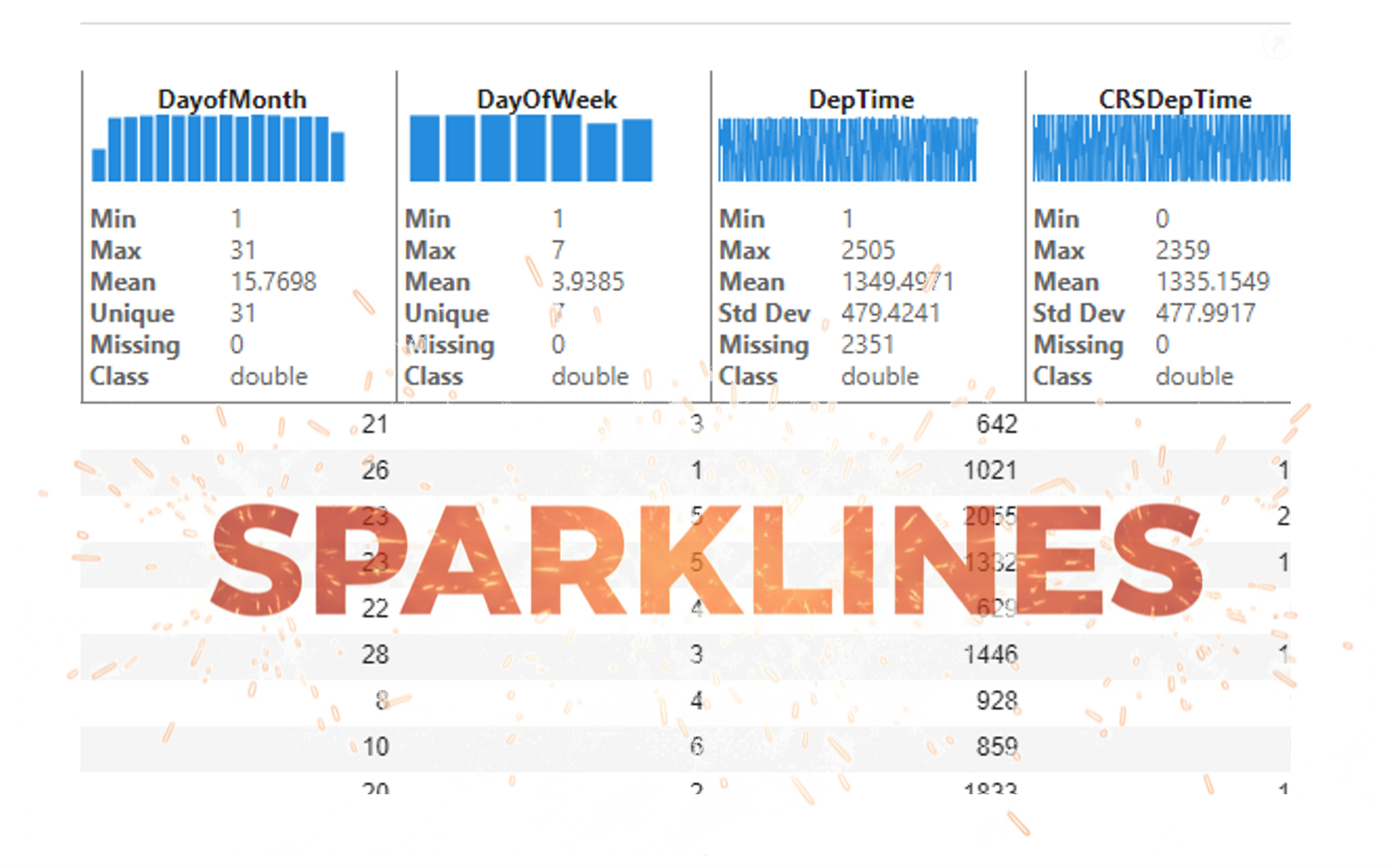
It’s exciting to dive into a new dataset full of unfamiliar variables but it can also be overwhelming if you’re not sure where to start. Recently, I discovered some new interactive features in MATLAB live scripts that make it much easier to get an overview of your data. With just a few clicks, you can display sparklines and summary statistics using table variables, sort and filter variables, and even have MATLAB generate the corresponding code for reproducibility.
The Graphics and App Building blog published an article that walks through these features showing how to explore, clean, and analyze data—all without writing any code.
If you’re interested in streamlining your exploratory data analysis or want to see what’s new in live scripts, you might find it helpful:
If you’ve tried these features or have your own tips for quick data exploration in MATLAB, I’d love to hear your thoughts!
isequal() is your best friend for Cody! It compares arrays perfectly without rounding errors — much safer than == for matrix outputs.
When Cody hides test cases, test your function with random small inputs first. If it works for many edge cases, it will almost always pass the grader.
I realized that using vectorized logic instead of nested loops makes Cody problems run much faster and cleaner. Functions like any(), all(), and logical indexing can replace multiple for-loops easily !

Hi cool guys,
I hope you are coding so cool!
FYI, in Problem 61065. Convert Hexavigesimal to Decimal in Cody Contest 2025 there's a small issue with the text:
[ ... For example, the text ‘aloha’ would correspond to a vector of values [0 11 14 7 0], thus representing the base-26 value 202982 = 11*263 + 14*262 + 7*26 ...]
The bold section should be:
202982 = 11*26^3 + 14*26^2 + 7*26

If you have solved a Cody problem before, you have likely seen the Scratch Pad text field below the Solution text field. It provides a quick way to get feedback on your solution before submitting it. Since submitting a solution takes you to a new page, any time a wrong solution is submitted, you have to navigate back to the problem page to try it again.
Instead, I use the Scratch Pad to test my solution repeatedly before submitting. That way, I get to a working solution faster without having to potentially go back and forth many times between the problem page and the wrong-solution page.
Here is my approach:
- Write a tentative solution.
- Copy a test case from the test suite into the Scratch Pad.
- Click the Run Function button—this is immediately below the Scratch Pad and above the Output panel and Submit buttons.
- If the solution does not work, modify the solution code, sometimes putting in disp() lines and/or removing semicolons to trace what the code is doing. Repeat until the solution passes.
- If the solution does work, repeat steps 2 through 4.
- Once there are no more test cases to copy and paste, clean up the code, if necessary (delete disp lines, reinstate all semicolons to suppress output). Click the Run Function button once more, just to make sure I did not break the solution while cleaning it up. Then, click the Submit button.
For problems with large test suites, you may find it useful to copy and paste in multiple test cases per iteration.
Hopefully you find this useful.

