Object and Lane Detection
You can detect objects from vision data using machine learning and deep learning techniques. You can also segment, detect, and model parabolic or cubic lane boundaries by using the random sample consensus (RANSAC) algorithm. After you detect objects, use Automated Driving Toolbox™ functions to evaluate and visualize the detections.
You can also detect road lanes in lidar point clouds using a deep learning approach. Automated Driving Toolbox provides a lidar lane detection network trained on the K-Lane data set. The pretrained network enables you to detect a maximum of six lanes. You can also evaluate the performance of detector using different metrics, such as classification accuracy, precision, recall, and F1-score.
To detect lanes in lidar point clouds, download the Automated Driving Toolbox Model for Lidar Lane Detection support package from the Add-On Explorer. For more information on downloading add-ons, see Get and Manage Add-Ons.
Fore more information about processing lidar point cloud data and importing point clouds from Velodyne packet capture (PCAP) files, see Process Point Clouds.
Functions
Topics
- Get Started with Lidar Lane Detection Using Deep Learning
Use lidar lane detection network to detect road lanes.
- Detect, Classify, and Track Vehicles Using Lidar (Lidar Toolbox)
Detect, classify, and track vehicles by using lidar point cloud data captured by a lidar sensor mounted on an ego vehicle.
Featured Examples

Ground Plane and Obstacle Detection Using Lidar
Detect the ground plane and find nearby obstacles in 3-D lidar data.

Lane Detection in Lidar Data Using Deep Learning
Detect lanes in lidar point clouds using LLDN-GFC deep learning network.

Visual Perception Using Monocular Camera
Construct a monocular camera sensor simulation capable of lane boundary and vehicle detections.

Generate Code for Lane Marker Detector
Generate C++ code for lane marker detector and validate the functional equivalence using software-in-the-loop (SIL) simulation.

Automate Testing for Lane Marker Detector
Automate the testing of a lane marker detector algorithm and generated code.

Train a Deep Learning Vehicle Detector
Train a vision-based vehicle detector using deep learning.

Generate Code for Vision Vehicle Detector
Generate deployable code for a monocular-camera-based vehicle detector and validate the functional equivalence with simulation.

Automate Testing for Vision Vehicle Detector
Automate the testing of a vehicle detector and generated code.

Track Multiple Vehicles Using a Camera
Detect and track multiple vehicles with a monocular camera mounted in a vehicle.
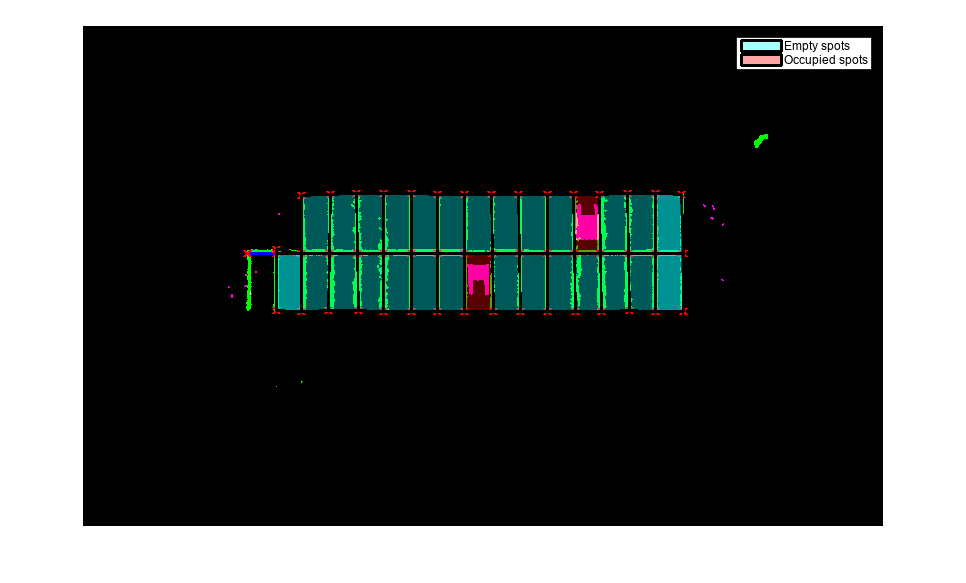
Perception-Based Parking Spot Detection Using Unreal Engine Simulation
Build a bird's-eye-view map of a parking lot using semantically segmented images from the ego vehicle camera, and detect empty parking spots from the map.

Perception Based Live Parking Spot Detection Using Unreal Engine Simulation
Develop a live parking spot detection system using deep learning and SLAM.

