Main Content

Guided Code Generation

Guided code generation using the Configuration Parameters dialog box and Simulink HDL Workflow Advisor

You can generate HDL code for Simulink® models from the user interface by using the HDL Code tab in the Simulink toolstrip or by using the Configuration Parameters dialog box. In this dialog box, you can specify various HDL code generation settings including basic folder and language selection to more advanced optimization parameters. To learn about how to generate HDL code from the HDL Code tab, see Generate HDL Code from Simulink Model.

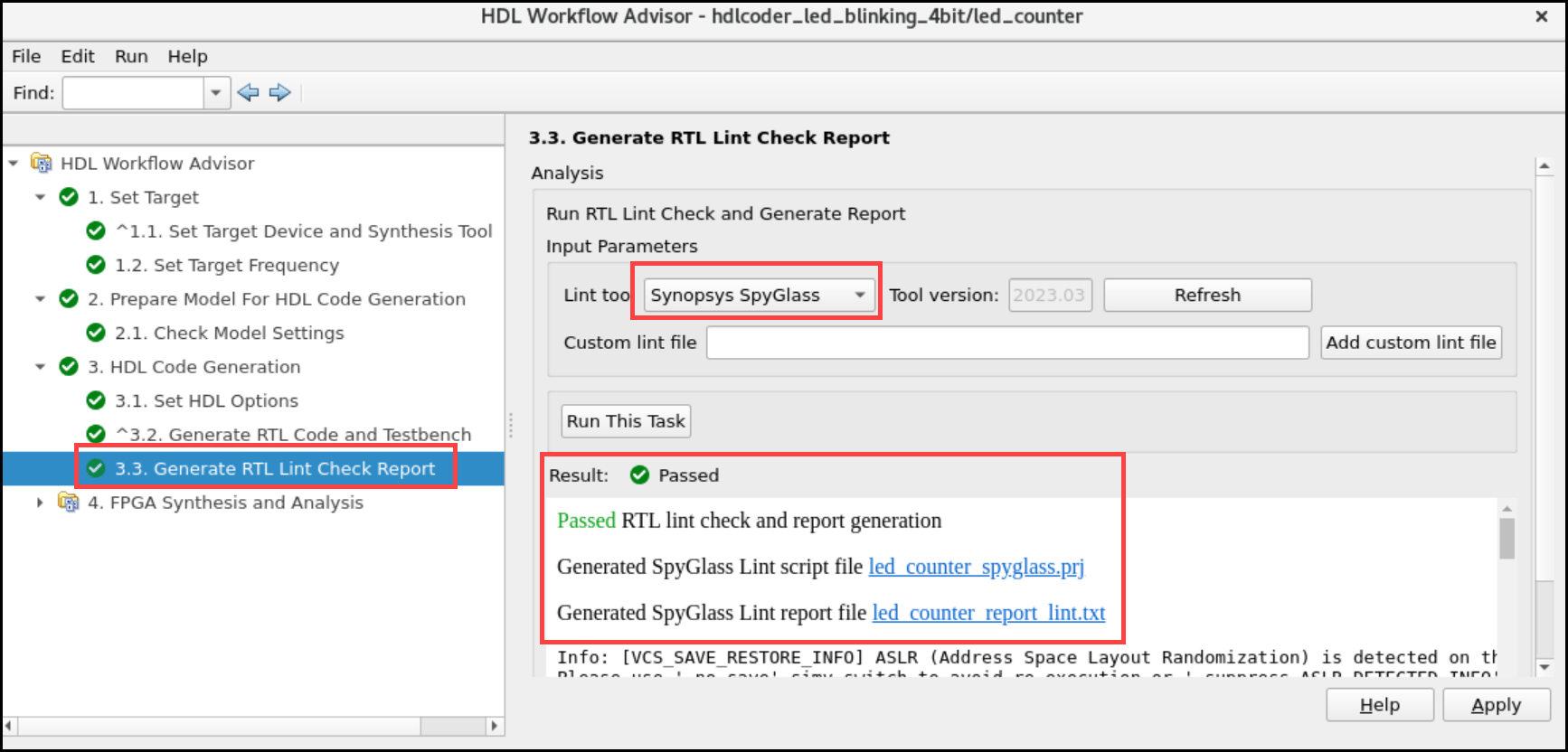
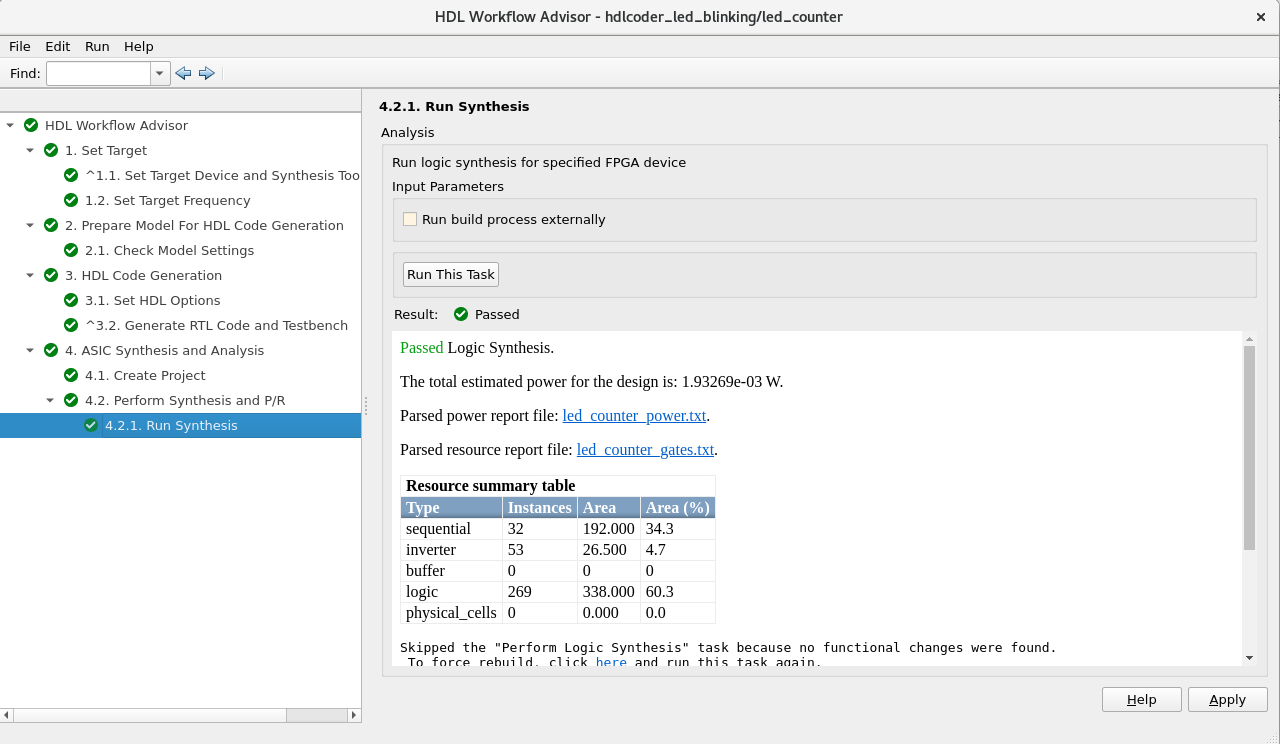
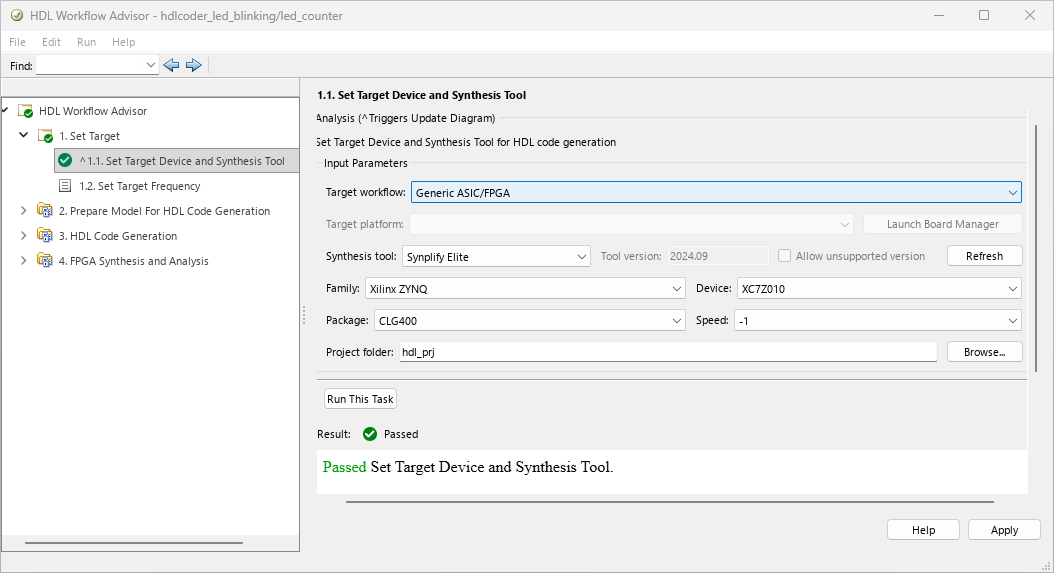
To deploy the generated code to a target device, use the Simulink HDL Workflow Advisor. The Advisor can run end-to-end workflows that check HDL compatibility and deploy the generated code to a target device. HDL Workflow Advisor is not available in Simulink Online™.

Functions

hdladvisorDisplay HDL Workflow Advisor
hdlsetupSet model configuration parameters for HDL code generation
hdlsetuptoolpathSet up system environment to access FPGA synthesis software

Model Settings

expand all

Generate HDL forSelect subsystem or model for HDL code generation
LanguageHDL code generation language
Code Generation FolderFolder for generated HDL code
Restore Model DefaultsReset model-level HDL settings to default values
Run Compatibility CheckerCheck subsystem compatibility for HDL code generation
GenerateGenerate HDL code for subsystem or model
WorkflowTarget workflow
Project FolderFolder for workflow-specific files (Since R2023b)
Target PlatformPlatform on which to deploy generated HDL code (Since R2023b)
Synthesis ToolSynthesis tool to target generated HDL code
FamilyDevice chip family
DeviceDevice name
PackageDevice package name
SpeedDevice speed value
Reference DesignReference design to integrate with generated IP core (Since R2023b)
Reference Design Tool VersionOption to warn for reference design version mismatch (Since R2023b)
Ignore tool version mismatchWarning in instances of reference design tool version mismatch (Since R2023b)
Reference Design ParametersTable of parameters available for default reference designs (Since R2023b)
Target FrequencyClock frequency for generated HDL design

General

Map pipeline delays to RAMMap pipeline registers in generated HDL code to RAM
RAM mapping thresholdSpecify minimum RAM size for mapping to block RAMs
Transform non zero initial value delayImplement Delay blocks to have zero initial value in generated HDL code
Remove Unused PortsRemove unused ports from design
Enable-based constraintsEnable multiple clock cycles for data to propagate between registers

Pipelining

Allow design delay distributionAllow distributed pipelining and delay absorption optimizations to move design delays
Pipeline distribution priorityPriority for distributed pipelining and delay absorption optimizations
Clock-rate pipeliningInsert pipeline registers at faster clock rate than data rate
Allow clock-rate pipelining of DUT output portsPass the outputs from DUT at clock rate
Balance clock-rate pipelined DUT output portsSynchronize DUT outputs while satisfying highest-latency requirements of outputs (Since R2022b)
Distributed pipeliningEnable pipeline register distribution
Use synthesis estimates for distributed pipeliningUse synthesis timing estimates to guide pipeline register insertion (Since R2022a)
Adaptive pipeliningInsert adaptive pipeline registers
Map lookup tables to RAM Map lookup tables to block RAM (Since R2021b)

Resource Sharing

Share AddersShare adders with resource sharing optimization
Adder sharing minimum bitwidthMinimum bit width required to share adders with resource sharing optimization
Share MultipliersShare multipliers with resource sharing optimization
Multiplier sharing minimum bitwidthMinimum bit width required to share multipliers with resource sharing optimization
Multiplier promotion thresholdMaximum bitwidth difference for promoting and sharing smaller multipliers
Multiplier partitioning thresholdMaximum input bit width for partitions
Multiply-Add blocksShare Multiply-Add blocks with resource sharing optimization
Multiply-Add block sharing minimum bitwidthMinimum bit width required to share Multiply-Add blocks with resource sharing optimization
Atomic subsystemsShare Atomic Subsystem blocks with resource sharing optimization
MATLAB Function blocksShare MATLAB Function blocks with resource sharing optimization
Floating-Point IPsShare floating-point IPs with resource sharing optimization

Frame to Sample Conversion

Enable frame to sample conversionEnable frame-to-sample conversion (Since R2022b)
Samples per cycleMaximum size of streams for frame-to-sample conversion (Since R2022b)
Input FIFO sizeRegister size of generated input FIFOs around streaming matrix partitions (Since R2022b)
Output FIFO sizeRegister size of generated output FIFOs around streaming matrix partitions (Since R2022b)
Input processing orderProcessing order to use for frame inputs (Since R2023a)
Delay size threshold for external memory (kilobytes)Maximum delay size for external memory (Since R2023a)
Use Floating PointUse native floating-point library (Since R2023a)
Latency StrategySpecify latency strategy to use for floating-point values
Handle DenormalsSpecify whether to handle denormal numbers
Mantissa Multiply StrategySpecify how to implement mantissa multiplication operation
Vendor Specific Floating Point LibrarySelect vendor-specific floating-point library (Since R2023a)

Global Settings

Reset typeReset logic to use for registers in HDL code
Reset asserted levelActive level of reset input signal
Clock input portName for clock input port
Clock enable input port Name for clock enable input port
Reset input portName for reset input port
Clock inputsGenerate single or multiple clock inputs
Treat Simulink rates as actual hardware ratesSet oversampling value based on model rates and target frequency values (Since R2023b)
Clock edgeActive clock edge
Oversampling factorOversampling value

General

Verilog file extensionFile name extension for generated Verilog files
VHDL file extensionFile name extension for generated VHDL files
SystemVerilog file extensionFile name extension for generated SystemVerilog files (Since R2023b)
Package postfixText to append to model or subsystem name
Entity conflict postfixText to use to resolve duplicate module names
Split entity file postfixText to append to name of generated model file
Reserved word postfixText to append to value names, postfix values, or labels
Split arch file postfixText to append to name of generated architecture file
Clocked process postfixText to append to HDL clock process names
Split entity and architectureWrite architecture code to multiple VHDL files
Complex real part postfixText to append to real part of complex signal names
VHDL architecture nameArchitecture name for DUT
Complex imaginary part postfixText to append to imaginary part of complex signal names
Module name prefixText to prefix to module or entity name in generated HDL code
Enable prefixBase name for internal clock enables and other flow control signals
Timing controller postfixText to append to timing controller name
Pipeline postfixText to append to names of input or output pipeline registers
VHDL library nameTarget library name for generated VHDL code
Generate VHDL or SystemVerilog code for model references into a single libraryGenerate VHDL or SystemVerilog code in separate libraries
Block generate labelText to append to HDL GENERATE statements
Output generate labelText to append to assignment blocks in VHDL GENERATE statements
Instance generate labelText to append to instance section labels
Vector prefixText to prefix to vector names
Instance prefixText to prefix to component instance names
Instance postfixText to append to component instance names
Map file postfixText to append to generated mapping file

Ports

Input data typeHDL data type for input ports of model
Output data typeHDL data type for output ports of model
Clock enable output portName for generated clock enable output port
Minimize clock enablesOmit clock enable logic in generated code
Minimize global resetsOmit reset logic in generated code
Use trigger signal as clockUse trigger input signal as clock in generated code
Enable HDL DUT input port generation for tunable parametersCreate DUT input ports for tunable parameters (Since R2021b)
Balance delays for generated DUT input portsInsert matching delays on generated DUT inport port paths (Since R2022b)
Enable HDL DUT output port generation for test pointsCreate DUT output ports for test point signals
Balance delays for generated DUT output portsInsert matching delays on generated DUT output port paths (Since R2022b)
Scalarize portsFlatten vector ports into structure of scalar ports
Max number of I/O pins for FPGA deploymentMaximum number of I/O pins for target FPGA (Since R2022a)
Check for DUT pin count exceeding I/O ThresholdOption to generate error or warning when DUT pin count exceeds maximum number of I/O pins (Since R2023a)

Coding style

Represent constant values by aggregatesRepresent constants by using aggregates
Inline MATLAB Function block codeInline HDL code for MATLAB Function blocks
Initialize all RAM blocksGenerate initial signal value for RAM blocks
RAM ArchitectureSpecify RAM architecture with or without clock enable
No-reset registers initializationSpecify how to initialize registers that do no reset
Minimize intermediate signalsMinimize intermediate signals in generated code
Unroll For-Generate LoopsUnroll and omit FOR and GENERATE loops from generated HDL code
Generate parameterized HDL code from masked subsystemGenerate reusable HDL code for subsystems
Enumerated Type Encoding SchemeSpecify encoding scheme to use for enumeration types
Use “rising_edge/falling_edge” style for registersUse rising_edge or falling_edge to detect clock transitions in generated code
Code reuseSpecify whether to generate a reusable file for subsystems (Since R2022a)
Inline VHDL configurationWhether generated VHDL code includes inline configurations
Concatenate type safe zerosWhether to use type-safe syntax for concatenated zeros in generated VHDL code
Generate obfuscated HDL codeWhether to generate obfuscated HDL code
Preserve Bus structure in the generated HDL codeGenerate code with VHDL record or SystemVerilog structure types (Since R2022b)
Indexing for scalarized port namingSpecify starting index for names of scalarized vector ports (Since R2022a)
Optimize timing controllerGenerate one counter for each rate in timing controller code
Timing controller architectureSpecify architecture of generated timing controller
Use Verilog or SystemVerilog `timescale directivesUse compiler directives in generated Verilog or SystemVerilog code
Verilog or SystemVerilog timescale specificationSpecify timescale to use in generated Verilog or SystemVerilog code

Coding standards

HDL coding standardSelect coding standard guidelines
Show passing rules in coding standard reportInclude passing rules in coding standard report
Check for duplicate namesCheck for duplicate names in design
Check for HDL keywords in design namesCheck for HDL keywords in design names
Check module, instance, entity name lengthWhether to check module, instance, and entity name length
Check signal, port, and parameter name lengthWhether to check signal, port, and parameter name length
Check for clock enable signalsWhether to check for clock enable signals in generated code
Detect usage of reset signalsWhether to check for reset signals in generated code
Detect usage of asynchronous reset signalsWhether to check for asynchronous reset signals in generated code
Minimize use of variablesWhether to minimize use of variables
Check for initial statements that set RAM initial valuesWhether to check for initial statements that set RAM initial values
Check for conditional statements in processesWhether to check for length of conditional statements
Check for assignments to the same variable in multiple cascaded control regionsWhether to check if there are assignments to same variable in multiple cascaded control regions (Since R2021b)
Check if-else statement chain lengthWhether to check if-else statement chain length
Check if-else statement nesting depthWhether to check if-else statement nesting depth
Check multiplier widthWhether to check multiplier bit width
Check for non-integer constantsWhether to check for non-integer constants
Check line wrap lengthWhether to check line lengths in the generated HDL code

Comments

Enable CommentsWhether to enable comments
Comment in headerComment lines in header of generated HDL and test bench files
Emit time/date stamp in headerInclude time and date information in generated HDL file header
Include requirements in block commentsInclude requirements as comments in code or code generation reports
Custom File Header CommentCustom comment in header of generated HDL code
Custom File Footer CommentCustom comment in footer of generated HDL code

Model Generation

Generated modelGenerate model that shows latency and numeric differences between model and HDL code
Validation modelGenerate validation model
Suffix for validation model nameSuffix to append to validation model name
Prefix for generated model namePrefix to append to generated model name
Layout styleLayout style of generated HDL model (Since R2021b)
Auto signal routingAutomatic routing of signals in generated model
Inter-block horizontal scalingHorizontal scaling of generated model
Inter-block vertical scalingVertical scaling of generated model

Advanced

Check for name conflicts in black box interfacesGenerate warning or error when black box interfaces have name conflicts
Generate HDL codeEnable code generation for model or subsystem
Suppress out of bounds access errors by generating simulation-only index checksGenerate logic that prevents array indices from going out of bounds (Since R2022a)
Generate traceability reportGenerate report with hyperlinks from code to model and model to code
Traceability styleType of traceability to generate in code generation report
Generate model Web viewInclude Web view in code generation report
Generate resource utilization reportGenerate resource utilization section in code generation report
Generate optimization reportGenerate optimization sections in code generation report
Generate high-level timing critical path reportInsert highlighting script that maps estimated critical path in code generation report
Custom Timing Database DirectoryPath to custom timing files (Since R2021b)
Simulation toolSimulator to use to run generated test benches
HDL code coverageEnable HDL code coverage flags in generated simulator scripts
HDL test benchEnable HDL test bench generation
Cosimulation modelGenerate cosimulation model
SystemVerilog DPI test benchEnable SystemVerilog DPI test bench generation
Test bench name postfixSuffix to append to test bench name
Force clockWhether test bench forces clock input signals
Clock high time (ns)Period during which test bench drives clock input signals high
Clock low time (ns)Period during which test bench drives clock input signals low
Hold time (ns)Hold time for input signals and forced reset input signals
Force clock enableWhether test bench forces clock enable input signals
Clock enable delay (in clock cycles)Elapsed time between deassertion of reset and assertion of clock enable
Force resetWhether test bench forces reset input signals
Reset length (in clock cycles)Length of time during which reset is asserted
Hold input data between samplesHold data values for subrate signals for number of base-rate clock cycles in subrate sample period
Initialize test bench inputsSpecify initial value driven on test bench inputs before data is asserted to DUT
Multi-file test benchDivide generated test bench into helper functions, data, and HDL test bench code files
Test bench data file name postfixSuffix to append to test bench data file name when generating multi-file test bench
Test bench reference postfixSuffix to append to names of reference signals generated in test bench code
Use file I/O to read/write test bench dataCreate data files for reading and writing test bench input and output data
Ignore output data checking (number of samples)Number of samples during which output data checking is suppressed
Floating point tolerance check based onCheck for errors in floating-point library based on relative or ULP errors
Tolerance ValueFloating-point tolerance value
Simulation library pathPath of compiled Altera or Xilinx simulation libraries

EDA Tool Scripts

Generate EDA scriptsEnable generation of third-party electronic design automation script files

Compilation Script Parameters

Compile file postfixPostfix to append to DUT or test bench name for compilation script file name
Compile initializationFormat name to use to write Init section of compilation script
Compile command for VHDLFormat name to use to write Cmd section of compilation script for VHDL
Compile command for Verilog or SystemVerilogFormat name to use to write Cmd section of compilation script for Verilog or SystemVerilog
Compile terminationFormat name to use to write termination section of compilation script

Simulation Script Parameters

Simulation file postfixPostfix to append to DUT or test bench name
Simulation initializationFormat name to use to write initialization section of simulation script
Simulation commandFormat name to use to write simulation command
Simulation waveform viewing commandWaveform viewing command to write to simulation script
Simulation terminationFormat name to write to write termination section of simulation script
Simulator flagsSimulator flags to apply to generated compilation scripts
Choose synthesis toolSpecify synthesis tool for which to generate synthesis scripts
Synthesis file postfixPostfix to append to file name
Synthesis initializationFormat name to use to write initialization section of synthesis script
Synthesis commandFormat name to use to write synthesis command
Synthesis terminationFormat name to use to write termination section of synthesis script
Additional files to add to synthesis projectAdditional HDL or constraint files

Lint Script Parameters

Choose HDL lint toolSpecify HDL lint tool for which to generate lint scripts
Lint initializationFormat name to use to write initialization section of HDL lint script
Lint commandFormat name to use to write command for HDL lint script
Lint terminationFormat to use to write termination section of HDL lint script

Topics

Using HDL Workflow Advisor

Using Model Configuration Parameters Dialog Box

Model Configuration Parameters