Automotive
MathWorks® automotive products enable engineers to accelerate vehicle development processes and deliver vehicles that meet market requirements for safety, comfort, and performance. Automotive engineers use our software to:
Run simulations for vehicle fuel economy, emissions, and performance.
Develop and test perception, planning, and control algorithms for automated driving systems.
Validate requirements early through rapid prototyping.
Generate code for prototyping or production, in floating or fixed point, for MCUs, GPUs, SoCs, and FPGA devices.
Analyze test fleet and production vehicle data.
Comply with ASPICE, AUTOSAR, and ISO 26262 safety standards.
Products for Automotive
Model-Based Calibration Toolbox
Model and calibrate complex powertrain systems
Powertrain Blockset
Model and simulate automotive powertrain systems
Vehicle Dynamics Blockset
Model and simulate vehicle dynamics in a virtual 3D environment
Automated Driving Toolbox
Design, simulate, and test ADAS and autonomous driving systems
IEC Certification Kit
Qualify software tools for ISO 26262 and IEC 61508 certification
Vehicle Network Toolbox
Communicate with in-vehicle networks using CAN, J1939, and XCP protocols
AUTOSAR Blockset
Design and simulate AUTOSAR software
RoadRunner
Design 3D scenes for automated driving simulation
RoadRunner Scenario
Create and play back scenarios for automated driving simulation
Simulink 3D Animation
Simulate and visualize dynamic systems in a 3D environment
Topics
Electrified Vehicles
- Develop, Resize, and Calibrate Motors with Dynamometer Test Harness (Powertrain Blockset)
Develop a control test bench, resize e-motors, and calibrate controllers using the motor dynamometer reference application. - Build Full Electric Vehicle Model (Powertrain Blockset)
Build a vehicle with a motor-generator, battery, direct-drive transmission, and powertrain control algorithms using the electric vehicle (EV) reference application. - Hybrid and Electric Vehicle Reference Application Projects (Powertrain Blockset)
Start building your own hybrid and electric vehicle models with reference application projects. - Generate Optimal Current Controller Calibration Tables for Permanent Magnet Synchronous Motors (Powertrain Blockset)
Generate optimized current controller and flux parameters for permanent magnet synchronous motor (PMSM) blocks. - Preprocess Permanent Magnet Synchronous Motor (PMSM) Data and Autogenerate Current Controller Calibration Tables (Model-Based Calibration Toolbox)
Permanent magnet synchronous motor (PMSM) data preprocessing.
Automated Driving and Advanced Driving Assistance Systems
- Code Generation for Path Planning and Vehicle Control (Automated Driving Toolbox)
Generate C++ code for a path planning and vehicle control algorithm, and verify the code using software-in-the-loop simulation. - Generate RoadRunner Scenario from Recorded Sensor Data (Automated Driving Toolbox)
Generate RoadRunner Scenario from recorded GPS data and preprocessed actor track list. - Forward Collision Warning Application with CAN FD and TCP/IP (Vehicle Network Toolbox)
This example shows how to execute a forward collision warning (FCW) application with sensor and vision data replayed live via CAN FD and TCP/IP protocols. - Lane-Keeping System for Self-Driving Trucks (Automated Driving Toolbox)
Design a lane-keeping system for self-driving trucks in Simulink® and simulate it with RoadRunner Scenario.
Virtual Vehicle Prototyping and Design Optimization
- Get Started with the Virtual Vehicle Composer (Vehicle Dynamics Blockset)
Use the Virtual Vehicle Composer app to configure, build, test, and analyze a virtual vehicle. - Double-Lane Change Maneuver (Vehicle Dynamics Blockset)
Analyze vehicle ride and handling, including yaw stability, using this reference application. - Kinematics and Compliance Virtual Test Laboratory (Vehicle Dynamics Blockset)
Virtually calibrate suspension blocks using this reference application. - Longitudinal Motorcycle Braking Test (Vehicle Dynamics Blockset)
Analyze motorcycle ride and handling during a braking test using this reference application.
Powertrain Prototyping, Design Optimization, and Calibration
- Internal Combustion Engine Reference Application Projects (Powertrain Blockset)
Use these reference applications as a starting point for your own internal combustion engine vehicle models. - Spark Ignition (SI) Calibration Workflow (Model-Based Calibration Toolbox)
Systematically develop a set of optimal steady-state SI engine calibration tables using the Model-Based Calibration Toolbox™. - Simulate Five-Cycle Energy Consumption Tests Using Virtual Vehicle Model (Powertrain Blockset)
Generate energy consumption data to use in range adjustment factor calculations for an electric vehicle. - Characterize Powertrain Blockset and Simscape Battery Blocks (App) (Model-Based Calibration Toolbox)
Characterize Simulink or Simscape™ battery block parameters using the MBC Optimization app.
Standards Compliance and Code Verification and Validation
- Design and Simulate AUTOSAR Components and Generate Code (AUTOSAR Blockset)
Develop AUTOSAR components by implementing behavior algorithms, simulating components and compositions, and generating component code. - Generate Drive Cycles for Real Driving Emissions (Powertrain Blockset)
Meet the Real Driving Emissions standard required by the European Union. - Highway Lane Following: A Model-Based Design Example for ISO 26262:2018 (IEC Certification Kit)
Demonstrates the use of Simulink to apply a Model-Based Design workflow to an ISO 26262 ASIL D project. - Implement Distributed ECU Network over CAN in Simulink (Vehicle Network Toolbox)
Use Vehicle Network Toolbox™ and Simulink to implement a distributed Electronic Control Unit (ECU) network over CAN for an automobile.
Featured Examples

Autonomous Emergency Braking with High-Fidelity Vehicle Dynamics
Design autonomous emergency braking system with 14DOF vehicle dynamics in Simulink and cosimulate with RoadRunner Scenario.

Build Full Electric Vehicle Model
Build a vehicle with a motor-generator, battery, direct-drive transmission, and powertrain control algorithms using the electric vehicle (EV) reference application.

Create and Configure AUTOSAR Software Component
Create an AUTOSAR software component model from an algorithm model.

Develop, Resize, and Calibrate Motors with Dynamometer Test Harness
Develop a control test bench, resize e-motors, and calibrate controllers using the motor dynamometer reference application.

Perception Based Live Parking Spot Detection Using Unreal Engine Simulation
Develop a live parking spot detection system using deep learning and SLAM.

Traffic Signal Follower with RoadRunner Scenario
Design a traffic signal follower in Simulink and cosimulate it with RoadRunner Scenario.
Videos
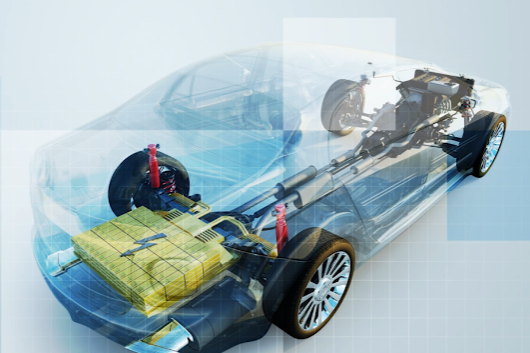
Hybrid Electric Vehicles
Learn about developing hybrid electric vehicle (HEV) systems using
Model-Based Design.
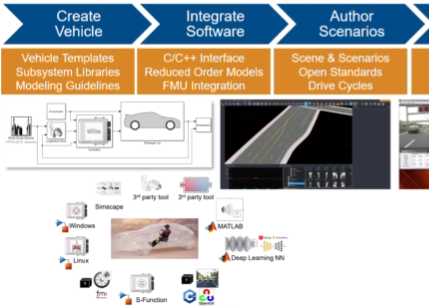
Electric Vehicle Modeling: Powertrain, Battery, and Thermal Systems
Design and optimize a battery pack for an electric vehicle.
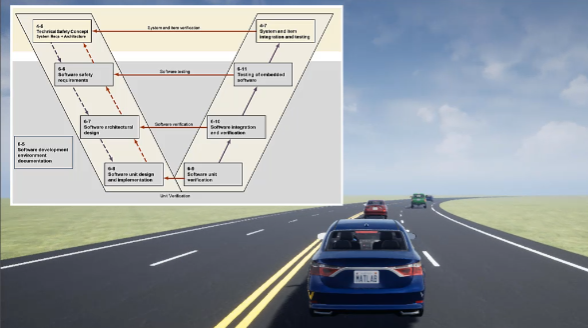
Develop ISO 26262-Compliant ADAS Applications with Model-Based Design
Use the IEC Certification Kit to help you fulfill the functional safety
requirements for tool qualification.

