chirp
R2026bSwept-frequency cosine
Syntax
Description
Examples
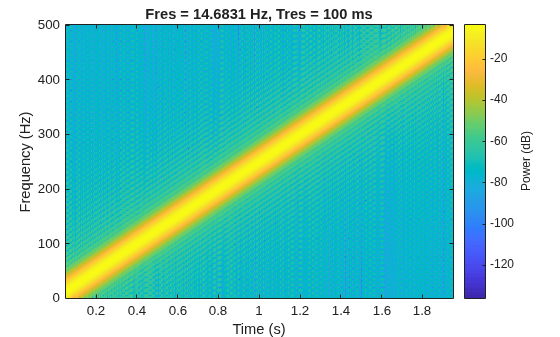
Generate a chirp with linear instantaneous frequency deviation. The chirp is sampled at 1 kHz for 2 seconds. The instantaneous frequency is 0 at t = 0 and crosses 250 Hz at t = 1 second.
t = 0:1/1e3:2;
y = chirp(t,0,1,250);
Compute and plot the spectrogram of the chirp. Divide the signal into segments such that the time resolution is 0.1 second. Specify 99% of overlap between adjoining segments and a spectral leakage of 0.85.
pspectrum(y,1e3,"spectrogram",TimeResolution=0.1, ...
    OverlapPercent=99,Leakage=0.85)
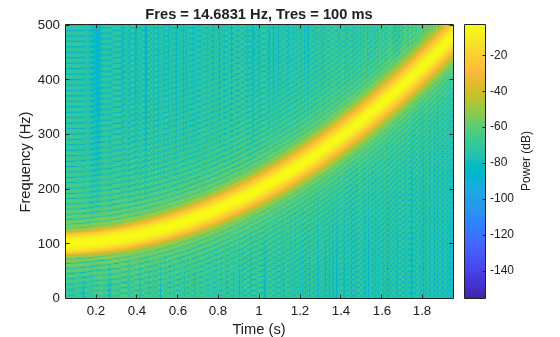
Generate a chirp with quadratic instantaneous frequency deviation. The chirp is sampled at 1 kHz for 2 seconds. The instantaneous frequency is 100 Hz at t = 0 and crosses 200 Hz at t = 1 second.
t = 0:1/1e3:2;
y = chirp(t,100,1,200,"quadratic");
Compute and plot the spectrogram of the chirp. Divide the signal into segments such that the time resolution is 0.1 second. Specify 99% of overlap between adjoining segments and a spectral leakage of 0.85.
pspectrum(y,1e3,"spectrogram",TimeResolution=0.1, ...
    OverlapPercent=99,Leakage=0.85)
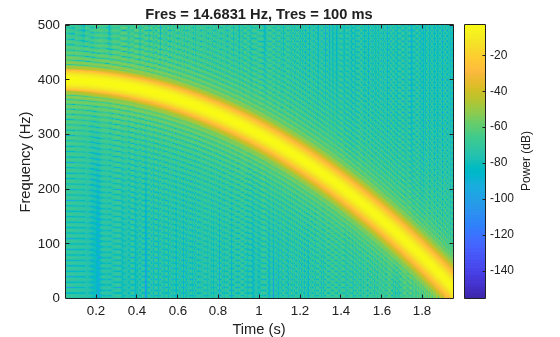
Generate a convex quadratic chirp sampled at 1 kHz for 2 seconds. The instantaneous frequency is 400 Hz at t = 0 and crosses 300 Hz at t = 1 second.
t = 0:1/1e3:2;
fo = 400;
f1 = 300;
y = chirp(t,fo,1,f1,"quadratic",[],"convex");
Compute and plot the spectrogram of the chirp. Divide the signal into segments such that the time resolution is 0.1 second. Specify 99% of overlap between adjoining segments and a spectral leakage of 0.85.
pspectrum(y,1e3,"spectrogram",TimeResolution=0.1, ...
    OverlapPercent=99,Leakage=0.85)
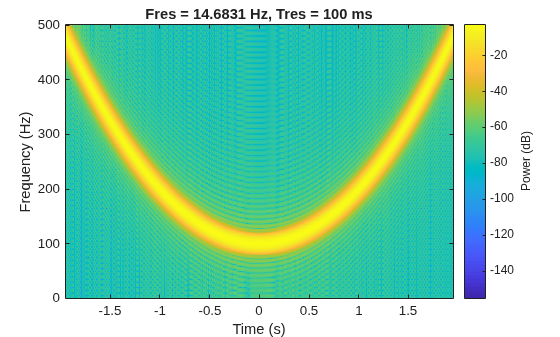
Generate a concave quadratic chirp sampled at 1 kHz for 4 seconds. Specify the time vector so that the instantaneous frequency is symmetric about the halfway point of the sampling interval, with a minimum frequency of 100 Hz and a maximum frequency of 500 Hz.
t = -2:1/1e3:2;
fo = 100;
t1 = max(t);
f1 = 500;
y = chirp(t,fo,t1,f1,"quadratic",[],"concave");
Compute and plot the spectrogram of the chirp. Divide the signal into segments such that the time resolution is 0.1 second. Specify 99% of overlap between adjoining segments and a spectral leakage of 0.85.
pspectrum(y,t,"spectrogram",TimeResolution=0.1, ...
    OverlapPercent=99,Leakage=0.85)
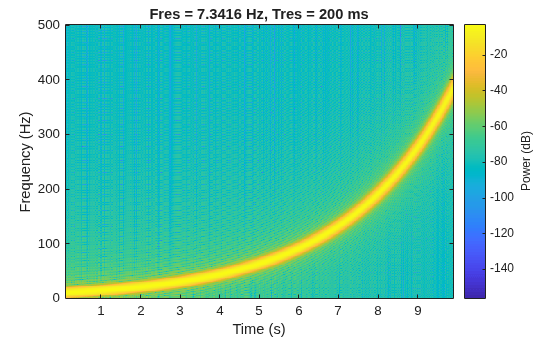
Generate a logarithmic chirp sampled at 1 kHz for 10 seconds. The instantaneous frequency is 10 Hz initially and 400 Hz at the end.
t = 0:1/1e3:10;
fo = 10;
f1 = 400;
y = chirp(t,fo,10,f1,"logarithmic");
Compute and plot the spectrogram of the chirp. Divide the signal into segments such that the time resolution is 0.2 second. Specify 99% of overlap between adjoining segments and a spectral leakage of 0.85.
pspectrum(y,t,"spectrogram",TimeResolution=0.2, ...
    OverlapPercent=99,Leakage=0.85)
Use a logarithmic scale for the frequency axis. The spectrogram becomes a line, with high uncertainty at low frequencies.
ax = gca;
ax.YScale = "log";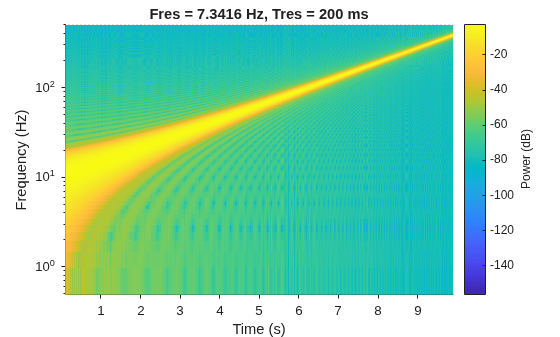
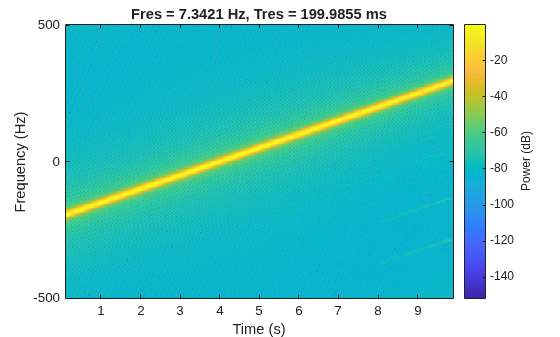
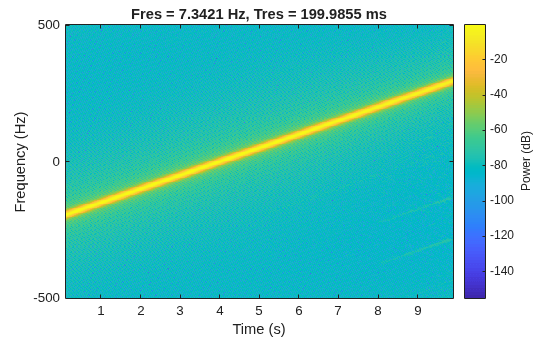
Generate a complex linear chirp sampled at 1 kHz for 10 seconds using single support precision. The instantaneous frequency is –200 Hz initially and 300 Hz at the end. The initial phase is zero.
fs = 1e3;
t = single(0:1/fs:10);
fo = -200;
f1 = 300;
ph0 = 0;

y = chirp(t,fo,t(end),f1,"linear",ph0,"complex");
Compute and plot the spectrogram of the chirp. Divide the signal into segments such that the time resolution is 0.2 second. Specify 99% of overlap between adjoining segments and a spectral leakage of 0.85.
pspectrum(y,t,"spectrogram",TimeResolution=0.2, ...
    OverlapPercent=99,Leakage=0.85)
Verify that a complex chirp has real and imaginary parts that are equal but with phase difference.
x = chirp(t,fo,t(end),f1,"linear",0)...
    + 1j*chirp(t,fo,t(end),f1,"linear",-90);

pspectrum(x,t,"spectrogram",TimeResolution=0.2, ...
    OverlapPercent=99,Leakage=0.85)